
Space Waves
| Genre | Arcade |
| Platform | Browser, mobile and desktop |
| Developer | do.games |
| Released | 2024 |
| Players | Single player |
| Price | Free to play |
| Rating | 4.4/5 from 37,621 ratings |
| Updated | July 2026 |
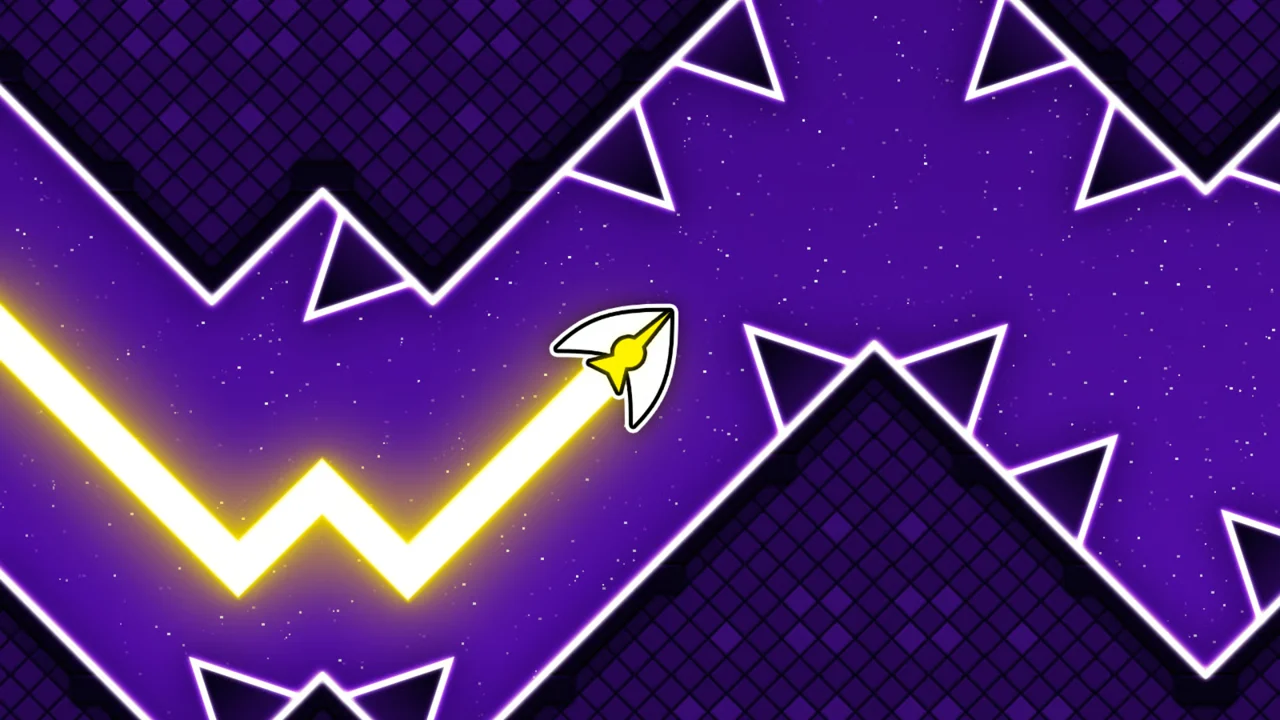
Space Waves is a one-button arcade game about threading a single arrow through a wall of moving obstacles. You hold to climb, let go to glide down, and try to reach the end of each level without clipping a spinning cog, a wall, or a patch of thorns. It runs free in the browser with nothing to install.
The idea is basic and the execution is not. Levels open gentle and then stack on rotating hazards, tight gaps, and inclines that punish a late tap. It draws obvious comparisons to Geometry Dash, but the arrow floats more, which changes how you time everything.
- Genre: one-button arcade obstacle dodger, single player.
- What you do: hold to fly up, release to fall, and dodge everything in between.
- Three ways to play: Classic worlds, an Endless score chase, and a Race mode against other arrows.
- Standout: dozens of hand-built levels, each marked with a difficulty face so you can read how hard it is before you start.
What is Space Waves?
It is a side-scrolling skill game built around a single input. Your arrow moves forward on its own, and the only thing you decide is up or down. Everything else is layout: rotating gears, static walls, spikes, and narrow channels you have to feather through. Progress is measured level by level in the main worlds and by score in the endless run. do.games built it in Unity and shipped it in 2024.
How to play
- Pick a mode and a world, then start the level.
- Hold to send the arrow up and release to let it glide back down.
- Line up early for each gap, since the arrow reacts with a slight delay.
- Clear the obstacles in order until you cross the finish line.
- Crash and you restart the level, so read the next hazard before you move.
Reading the glide
Gliding only pulls the arrow down, so any climb has to begin before the incline, not on it. Stay low under circular spikes, since hugging the floor gives them a wide berth. When you get boxed in between two hazards, quick repeated taps hold a zigzag line and keep your forward speed steady instead of stalling.
Steering the arrow
One button does everything. Hold to rise, release to descend, and that is the whole control scheme on any device.
| Action | Desktop | Mobile |
|---|---|---|
| Go up | Hold left mouse, W, or Space | Hold the screen |
| Glide down | Release the button | Release the screen |
| Pause | P | Pause button |
Classic, Endless, and Race modes
The game splits into three modes that reuse the same flying and dodging but change the goal.
| Mode | How it works |
|---|---|
| Classic | Choose one of three worlds and clear its levels to the finish, with each stage harder than the last. |
| Endless | A single unbroken run with no end. Survive as long as you can and push for a high score. |
| Race | Compete against other arrows over 19 or more levels, in easy or hard difficulty. |
Arrow skins and colors
You can change how the arrow looks. There are fiery and rounded styles plus color variants, so you can swap the skin without touching how it handles. It is cosmetic, so nothing you pick changes the physics.
Tips to clear the harder levels
- Tap early. The arrow answers a beat late, so aim for where the gap will be, not where it is.
- Stay low under rotating spikes and cogs, since the safe line usually runs near the floor.
- For a tight squeeze, short repeated taps beat one long hold, because they keep you level.
- Learn the level, do not react to it. Most deaths come from a hazard you already saw once.
- Use Endless mode to warm up your timing before a hard Classic world.
What makes it stick
The appeal is how honest it is. One input, instant restarts, and a death that is almost always your own fault. That tight loop is why a level you have failed twenty times still feels fair on the twenty-first. The floaty arrow gives it a different feel from the sharper rhythm games it resembles, so timing here is about anticipation more than reflex.
Get Space Waves on mobile
Space Waves has iOS and Android apps too, so you can keep chasing high scores when you are away from a keyboard.
Frequently asked questions
Is Space Waves free?
Yes. It plays free in your browser with no purchase and no download. Open the page and start flying.
How do you play Space Waves?
You control one arrow with a single input. Hold to go up, release to glide down, and thread through the obstacles to reach the end of each level.
Where can I play Space Waves unblocked?
Right here. Space Waves is unblocked on African Safari Games and loads in the browser, so it runs on most networks that allow browser games, with nothing to install.
Is Space Waves like Geometry Dash?
It is in the same family of one-button obstacle games, with music and timing-based dodging, but the arrow glides more loosely, so the feel is softer.
Who made Space Waves?
The studio do.games, built in Unity and released in 2024. It still gets updates.
Does Space Waves work on mobile?
Yes. On a phone or tablet you hold the screen to climb and release to fall, so the whole game works with one thumb.
Space Waves gameplay video