
Catch Tiles: Piano Game
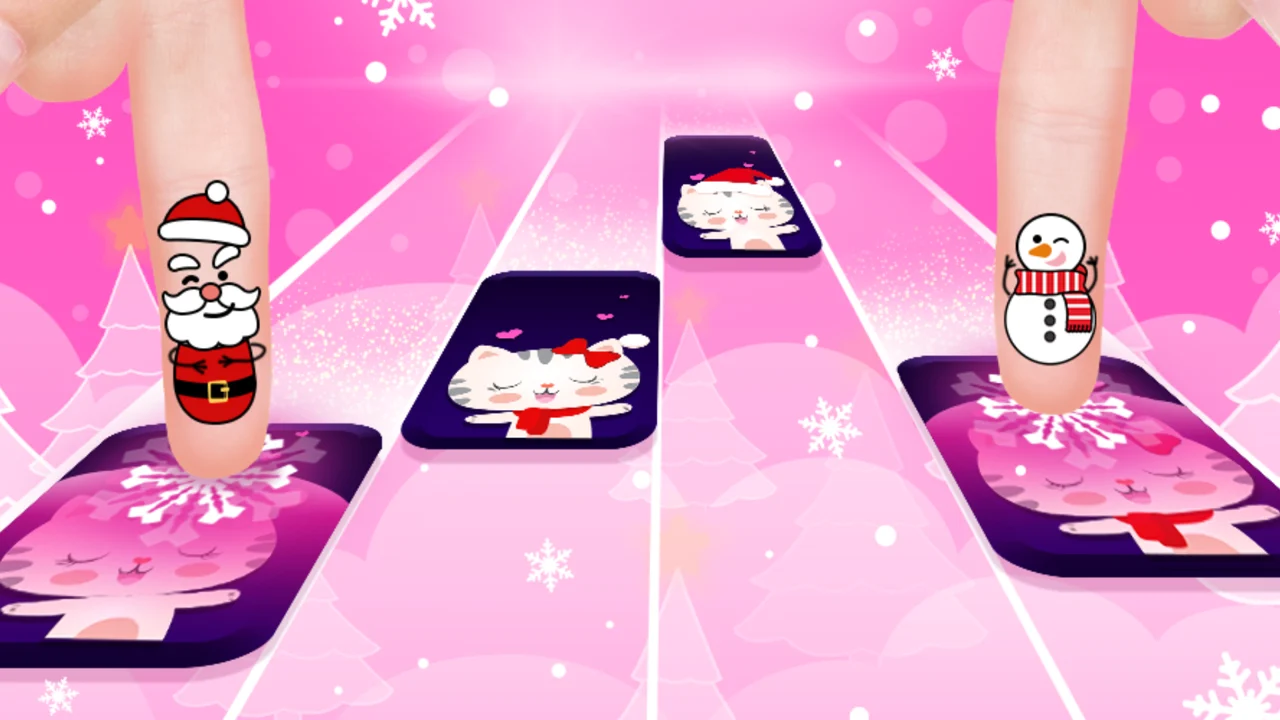
| Genre | Arcade |
| Platform | Browser, mobile and desktop |
| Developer | WingsMob |
| Released | 2024 |
| Players | Single player |
| Price | Free to play |
| Rating | 4.0/5 from 95,096 ratings |
| Updated | July 2026 |
Catch Tiles: Piano Game is a free rhythm game you can play right in your browser, with no download and no sign-up. Black tiles fall down four lanes in time with the music, and your only job is to press them before they slip past the bottom of the screen. The faster and cleaner you tap, the longer your combo holds and the higher your score climbs.
It was built by WingsMob and runs on both desktop and mobile browsers, so you can test your hand speed on a laptop, a Chromebook, or a phone. The built-in tracklist reaches across EDM, classical, anime, and K-pop, and you can also bring your own songs into the game. If you want a quick piano game that rewards fast fingers and lets you play along to music you actually like, this one is built for it.
- Genre: a casual arcade rhythm game about tapping falling piano tiles to the beat
- Goal: press every tile before it passes the hit line to hold your combo and grow your score
- Players: single player, played solo against the song
- Standout: import your own songs on top of a library that spans EDM, classical, anime, and K-pop
What is Catch Tiles: Piano Game?
Catch Tiles: Piano Game is a tap-the-tile rhythm game at its core. A stream of black tiles scrolls down the screen in four columns, and each tile lines up with a note in the song. You press the matching column the instant a tile reaches the bottom of its lane. Hit it cleanly and the note plays, the tile clears, and the music keeps moving. Miss one, or press an empty lane, and the run can end right there.
The hook is pure reflex work. There is no character to steer, no inventory to manage, and no story to follow. You read the falling pattern and react with your fingers, and the songs speed up and grow denser the deeper you go. Because each tap sounds a real note from the track, a clean run actually sounds like the song, which is the whole reason a good one feels good.
Everything else spins off that simple core. The four-lane layout keeps the game readable even at high speed, the tracklist gives your fingers something worth playing, and the import feature means the music never runs out. Strip it down and you are just tapping tiles to a beat, which is why it works in short bursts and long sessions alike.
How to play your first round
- Press Space, or tap the play button, to launch a track.
- Watch the four lanes and the black tiles scrolling toward the hit line.
- Tap a lane the moment its tile reaches the bottom, using the A, S, K, and L keys or your mouse.
- Chain hits without missing to hold your combo and push your score higher.
- Hold longer tiles down for their full length so the note sustains.
- Reach the end of the song for your final score, then try a faster track.
A good first session
Spend your first ten minutes on slower tracks and ignore the score entirely. The goal is to train your eyes to read the lanes and your fingers to find A, S, K, and L without looking down at the keyboard. Once the keys feel automatic, the game opens up, because your attention can move from pressing the right lane to pressing it on time. Players who skip this step tend to hit a wall the first time a song speeds up.
Catching tiles and controls
The controls are kept simple on purpose, because the difficulty comes from speed and timing rather than button combinations. Everything maps to four lanes, and you can play with the keyboard or the mouse.
| Action | Desktop | Mobile |
|---|---|---|
| Press a tile | A, S, K, L keys or left mouse click | Tap the lane on the screen |
| Hold a long tile | Hold the matching key down | Hold your finger on the lane |
| Start the game | Space | Tap the play button |
Keyboard versus mouse
Most desktop players settle on the A, S, K, L keys once a song gets fast, because four fingers spread across the home row keep up with rapid patterns better than one mouse hand darting between lanes. The mouse is fine for slower classical pieces, where you can read ahead and click with time to spare. Try both on your first few tracks and let your hands decide which feels right.
Reading the falling tiles
Tiles drop in four vertical lanes. Long tiles are held notes, so keep the key or your finger pressed for the full length until the note finishes. Some patterns ask for two lanes at once, and fast runs stack several tiles in a single lane. Reading a beat or two ahead lets you set your fingers in advance instead of reacting at the last instant, which is what separates a clean run from a quick game over once the tempo climbs.
Songs and music genres
The built-in library is the main reason people stay. Instead of one style, the game bundles a spread of genres, so there is almost always something familiar to play.
| Genre | What you get |
|---|---|
| EDM | Fast, beat-heavy tracks with dense tile patterns and sharp tempo shifts |
| Classical | Piano pieces with longer holds and steadier pacing |
| Anime | Theme and opening melodies players tend to recognize |
| K-pop | Pop tracks with strong, rhythmic hooks |
| More added over time | The rotation grows beyond these core styles |
Importing your own songs
On top of the built-in tracks, you can import songs you already own and the game builds a playable tile pattern around them. This is the feature that turns a short session into something you come back to, because you can practice your hand speed on music you care about rather than waiting for a specific track to appear in the list. Use clean audio files for the cleanest note mapping.
Picking a track that matches your speed
Not every song runs at the same pace, and choosing well is part of doing better. Start with a classical or slower pop track if you are still learning the lanes, then move into EDM or fast anime openings once your fingers trust the layout. A track that matches your current speed lets you build long combos, and those long combos are where the real scores come from.
The music is the game
In most arcade games the soundtrack is decoration. Here it is the mechanic. Each tile is a note, and when you tap on time the song plays correctly; when you tap late or miss, the note stutters or drops out. That means your ears tell you how you are doing before your eyes do. A run that sounds right usually is right, and a run that sounds choppy is telling you exactly where your fingers are falling behind. This is also why importing songs you know well gives you an edge, because you can feel the timing in advance instead of guessing where the next beat falls. This tight link between input and audio is why the game stays satisfying even when you are not chasing a record. Hitting the notes cleanly just to hear a favorite song play through is its own small reward.
Scoring, combos, and beating your best
Your score is built from two things: how many tiles you hit, and how long you hold a combo. Each clean tap adds to your total, and the longer you go without a miss, the more each hit is worth. This is why a single slip late in a song costs so much, because you lose the multiplier you spent the whole track building. The result is that beating your best score is less about tapping faster and more about not breaking the chain. Once that clicks, the whole game reframes: you stop chasing speed for its own sake and start protecting your combo, because the combo is where the points live.
Building a long combo
A long combo comes from consistency, not raw speed. Pick a track you can clear comfortably, focus on accuracy over urgency, and let the multiplier stack up. Once you can hold a combo through a whole song at one speed, step up to the next track. You will score far more with a slow, unbroken run than with a fast one dotted with misses.
Reading your score at the end
When a song ends, the screen lays out your hit count, your longest combo, and your final score. Your longest combo is the number to watch between runs, because it tracks consistency, which is the skill the game is really training. If your final score jumps but your longest combo stays flat, you played a faster song, not a cleaner one.
How difficulty ramps up
The first track you play feels calm on purpose. Tiles arrive at a pace you can read, and the four lanes give you room to think. As you move from those warm-up tracks into faster ones, three things change at once: the tempo rises, more tiles pack into each measure, and the gaps between notes shrink. Your hands have to do more work in less time, and that is where the hand-speed side of the game really shows itself.
When a song speeds up
When a track hits its fast section, drop your eyes a little lower so you are reacting to tiles closer to the hit line, and keep your fingers light. Tense hands move slower, so the calmer you stay, the faster you can tap. If a pattern repeats through the song, muscle memory carries you through it on the second pass even when your eyes cannot quite track every note.
Playing on desktop, laptop, and phone
The web build runs the same on a desktop, a Chromebook, and a phone, but the feel shifts a little on each device. On a laptop or desktop you get the precision of physical keys, with A, S, K, and L spread under your fingers and Space to start. On a phone or tablet you tap the lanes directly, which feels natural but asks for quick, small movements from one hand. Both control schemes are first-class, so pick the device that fits where you are playing.
| Device | How you control it |
|---|---|
| Desktop or laptop | A, S, K, L keys plus Space, or the mouse |
| Chromebook | Same keyboard controls as a desktop |
| Phone or tablet | Tap each lane directly on the screen |
Is it free and safe to play
Yes. Catch Tiles: Piano Game is free to play in your browser with no download and no account. Because it runs inside the browser, nothing installs to your device, which also means it works on shared or locked-down machines like school and work Chromebooks where you cannot install software. There is a Google Play version for Android if you want it on your phone, but the web build is the full game.
Tips to keep your combo alive
- Warm up on a slower classical track before you try fast EDM.
- Default to the A, S, K, L keys for quick songs and save the mouse for easy ones.
- Read one or two beats ahead instead of staring straight at the hit line.
- Keep your hands relaxed, since tight fingers tap slower.
- Hold long tiles all the way to the end so the note does not cut short.
- Restart the moment you know a pattern, and your next run will be cleaner.
Why it hooks you
The reason Catch Tiles: Piano Game works is the feedback loop between your hands and the music. Every correct tap plays the next note, so a clean run is audibly rewarding: you hear the song come together because of what you did. A miss snaps that thread, which gives just enough sting to make you press retry. Add the option to import your own songs and you have a rhythm game that always has one more track worth chasing.
Get Catch Tiles: Piano Game on mobile
Want it on your phone? Catch Tiles: Piano Game has a Google Play version for Android, so you can keep tapping tracks on the move.
Frequently asked questions
Is Catch Tiles: Piano Game free?
Yes. The full game is free to play in your browser, with no download and no sign-up.
How do I play Catch Tiles: Piano Game?
Press Space to start a track, then tap each falling tile with the A, S, K, and L keys or your mouse as it reaches the bottom of its lane.
Can I play Catch Tiles: Piano Game on my phone?
Yes. It runs in mobile browsers, and there is also a Google Play version for Android.
Can I use my own songs in Catch Tiles: Piano Game?
Yes. You can import songs you own and the game builds a tile pattern around them so you can play along.
Who made Catch Tiles: Piano Game and when did it come out?
It was made by WingsMob. The Android version launched in 2021 and the web version followed in 2024.
Is Catch Tiles: Piano Game unblocked at school?
Yes. Catch Tiles: Piano Game is unblocked on African Safari Games and runs straight in your browser with nothing to install, so it works on most networks that allow browser games.