
Stickman Kombat 2D
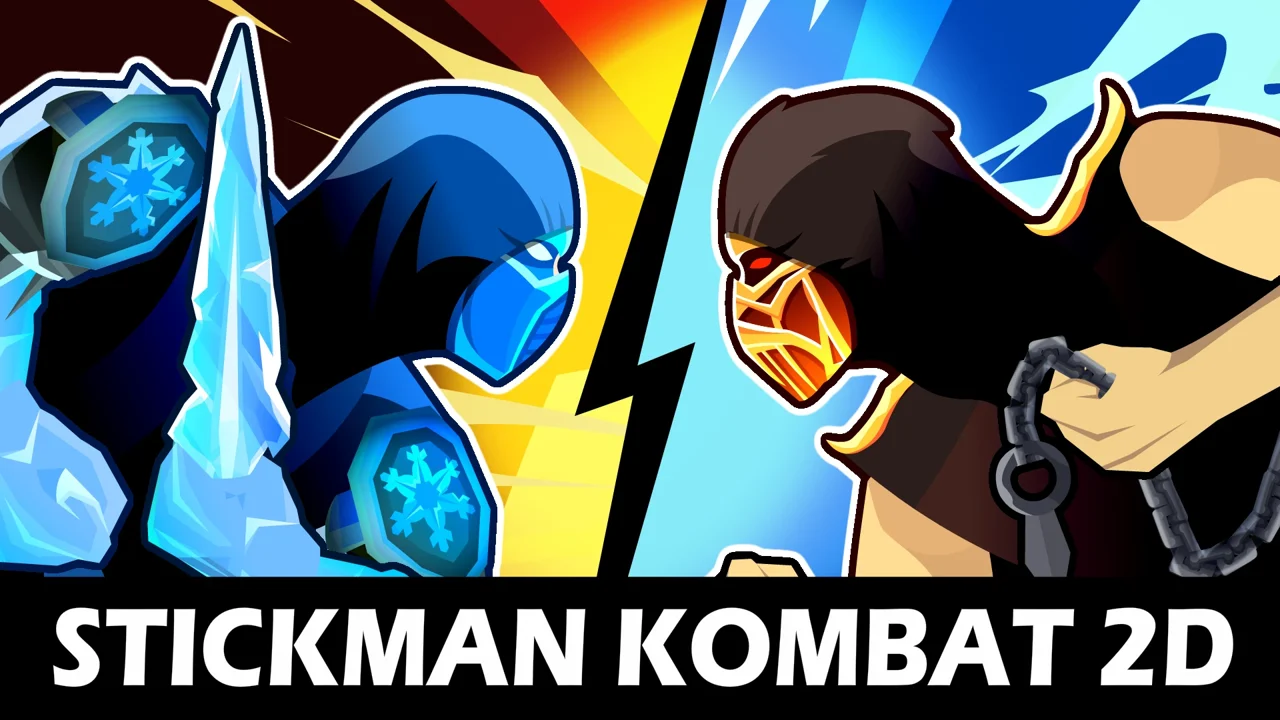
| Genre | Action |
| Platform | Browser, mobile and desktop |
| Developer | GamePush |
| Released | 2025 |
| Players | Multiplayer |
| Price | Free to play |
| Rating | 4.5/5 from 28,943 ratings |
| Updated | July 2026 |
Stickman Kombat 2D is a free browser fighting game from GamePush that drops you into a small arena with a scythe in your hand and a single rival across from you. The space is tight, the round moves fast, and there is nowhere to retreat, so each match turns on who strikes, dodges, and reads the other fighter first.
You can play it right here on African Safari Games with no download and no sign-up. Knock out opponents to bank coins, push deeper into a tournament where the AI gets sharper every round, or hand half the keyboard to a friend for a local two-player brawl. It runs in a normal browser, so a Chromebook, a Mac, or a Windows laptop all handle it without trouble.
- 2D stickman fighting built around scythe strikes, throws, and close-range pressure
- Fight one rival at a time, then climb a tournament where the AI gets sharper each round
- Full single-player mode plus a local two-player mode on a shared keyboard
- Coins from knockouts unlock new fighters as you progress
What is Stickman Kombat 2D?
Stickman Kombat 2D is a one-on-one fighting game in a clean stickman art style, with a scythe as the signature weapon and a compact arena that leaves almost no dead space. The core loop is simple: walk in, land a slash, throw the scythe when you cannot close safely, block when your rival swings back, and finish the round before your own health runs out. There is no roster of stages or alternate weapons to pick between. The variety comes from the opponents, who start as straightforward punchers and grow into fighters that block, counter, and punish sloppy timing.
It is built for short, intense sessions. A round can flip in a couple of seconds, so you are always one good combo or one bad block away from a knockout. That speed is what keeps the duel from ever feeling settled.
Objectives: how a round is won
Every round in Stickman Kombat 2D comes down to one job: empty your rival's health bar before they empty yours. Land clean slashes, connect the scythe throw, and extend into aerial strings until the bar hits zero and the knockout fires. In single-player, that knockout banks coins and pushes you one step up the tournament bracket toward a sharper fighter. In two-player, it simply wins you the round and the bragging rights that go with it. There is no points tally to chase and no timer-based score to optimize; the win condition is binary, knock them out or go down. That single focus is why a round can feel frantic in the moment yet read clearly once it ends. When you are behind on health you are not scraping for points, you are hunting one clean opening to flip the bar back in your favor.
How to play
The match starts the instant the round loads, so it helps to know the order of operations before you trade blows.
- Step into the arena and face your rival at close range, with almost no room to back up.
- Land a quick scythe slash with J to deal damage and push them onto the defensive.
- Throw the scythe with K when you need to hit from afar or punish a retreating opponent.
- Mix in a rush strike with A or D plus K to close distance and land heavy force.
- Block by holding S when your rival commits to a swing, then answer with a counter.
- Score the knockout, collect your coins, and move on to a tougher fighter.
Quick start for first-timers
If this is your first fighting game, start by surviving rather than winning. Hold S to block when your rival winds up, watch how the AI likes to attack, and use J to slash back during the gaps. Do not mash the special keys; a thrown scythe or a rush strike that misses leaves you stuck in recovery while your opponent counters for free. Once you can block and punish comfortably, layer in combos and the uppercut. Playing patient for a few rounds teaches you the rhythm of the duel far faster than rushing in and getting punished for it.
Scythe moves and controls
Every move maps to a single key or a short two-key input, so the skill lives in timing and spacing rather than memorizing long strings.
| Action | How to trigger | What it does |
|---|---|---|
| Scythe slash | J | A quick close-range hit and your main way to apply pressure |
| Throw scythe | K | Hurls the scythe across the arena to deal damage at range |
| Rush strike | A or D + K | Charges forward with a heavy scythe blow that closes the gap |
| Uppercut | S + J | Pops the rival upward and can start an aerial combo |
| Block | Hold S | Braces and cuts the damage from incoming hits |
| Move | WASD | Walks, jumps, and repositions you around the small arena |
Combos and aerial strikes
Attacks chain when you press at the right moment. Land a slash, then time the next input as the first connects, and the combo keeps rolling into extra damage. One of the strongest extensions is to jump behind your rival and strike, which triggers aerial hits they struggle to block from that angle. The uppercut is your gateway into those aerial strings, since it lifts the opponent off the ground and lets you meet them in the air. If you only ever fight on the ground you give up a big chunk of your potential damage, and a sharp rival will read your flat pattern and block it.
The slash to uppercut string
Once you can block and punish, the first combo worth drilling is the slash into uppercut string. Open at close range with a J slash to stagger your rival, then input S plus J the instant the slash connects to fire the uppercut. The uppercut pops them off the floor, and a jumping slash met on the way up turns two hits into three. The window is tight but readable: press the uppercut as the slash lands, not before, or you cancel your own pressure and eat a counter. Against the early tournament punchers this string can end a round on its own. Against the middle and late fighters, who block and punish, you have to earn the opening first, often by throwing the scythe with K to bait their guard, then stepping in once that guard drops.
Blocking, stamina and breakers
Defense is not optional. Holding S blocks incoming hits, but blocking eats into your stamina, so you cannot turtle in the corner forever. When your rival has you locked in a combo, a breaker is your way out, and saving it for the moment you are about to eat a heavy hit is usually the right call. The pattern to learn is simple in theory and hard in the moment: block the obvious swings, break the long combos, and answer with your own pressure the instant there is a gap. Burn your breaker too early and you have nothing left when the real damage comes.
Sharing the keyboard: two-player mode
The game ships with a full local two-player mode, so two people can fight on the same keyboard without any setup beyond sitting close together.
| Fighter | Move | Attack | Special |
|---|---|---|---|
| Player 1 | WASD | F | G |
| Player 2 | IJKL | ; (semicolon) | ' (apostrophe) |
Settling scores on one device
The layout keeps the two players on opposite sides of the keyboard, WASD on the left for player one and IJKL on the right for player two. That separation matters in a fast fighting game, because overlapping hands turn every round into an elbow war. Because the inputs are single keys, a second player can pick it up almost instantly, no tutorial required. Two-player is also where the game gets loudest: a human rival blocks your favorite setup, baits your rush, and punishes a whiffed throw in ways the computer does not. If you have a friend next to you, this is the mode that eats an afternoon.
Single-player tournament vs two-player couch
The two modes reward almost opposite skills, and most players end up leaning on one for practice and the other for noise.
Single-player is a patience and pattern test. The AI repeats readable habits on a fixed cadence, so once you notice that a given fighter always blocks after taking two slashes, you can bait that block and throw the scythe to punish it. The tournament is where your fundamentals get built: blocking on reaction, landing the uppercut, and not panic-spending stamina on bad blocks. The bracket also scales cleanly, so the difficulty you feel is the fighter in front of you getting sharper, not the controls getting harder.
Two-player throws that predictability out. A human beside you adapts inside the round, stops falling for a setup after one use, and reads your favorite habits straight back at you. It is louder, faster, and far less forgiving of a move you repeat. If the tournament teaches you the scythe, the couch mode teaches you the player holding it.
| Aspect | Single-player tournament | Local two-player |
|---|---|---|
| Goal | Climb the bracket and beat tougher fighters | Win the round against the person beside you |
| Opponent | AI with fixed patterns you can learn and bait | A human who adapts to your habits mid-round |
| Best for | Building fundamentals and banking coins | Reading a real opponent and settling scores |
| Controls | WASD to move, J to slash, K to throw | Split keyboard, WASD with F and G for player one |
Tournament progression and unlocks
Single-player is structured as a tournament. Each knockout pays out currency and advances you to a stronger fighter, and the difficulty curve is steeper than it first looks.
| Stage of the run | How the opponents change |
|---|---|
| Early rounds | Rivals attack in simple, readable patterns and rarely block |
| Middle rounds | Opponents start blocking, countering, and timing their swings |
| Late rounds | Sharper AI that punishes mistakes and forces you to manage momentum |
Spending your coins
Coins from victories are the currency that drives unlocks. You spend them to add new fighters to your roster, and a wider roster gives you more options against the harder opponents later in the tournament. The smart move is to bank coins early while the rounds are cheap, then unlock a fighter whose moveset covers a weakness you keep losing to. Do not blow your balance the moment you can afford something; the late rounds are where a fresh fighter earns their keep, and that is when you will want the choice.
What you unlock, and how
Coins are the only progression currency, and they have one source: knockouts. Every fighter you drop pays out, and the late-round opponents are worth more than the early pushovers, so a deep tournament run funds your roster faster than replaying the opening round. You spend coins in the roster screen to add new fighters, each with a different feel in reach, swing speed, and weight. The unlock path is simple and honest: win fights, collect coins, open the roster, and pick the fighter that matches how you want to play. There is no premium currency, no loot box, and no real-money store. Every fighter on your roster is earned inside the arena, never bought, which keeps the duel about skill rather than spending.
| Fighter trait | What it changes in the duel |
|---|---|
| Reach | Longer scythe arcs hit from farther out but swing a touch slower |
| Swing speed | Faster strikes chain into longer combos but land for less each |
| Weight | Heavier fighters shrug off knockback but cross the small arena slower |
| Throw arc | A flatter scythe throw covers ground; a higher one catches a jumping rival |
Tips to control the duel
- Keep moving. Standing still in a small arena turns you into a target, so use A and D to shift position between exchanges.
- Save your rush strike for a real opening. It hits hard, but a whiff leaves you stuck in recovery.
- Mix throws and slashes. If you only ever slash, a blocking rival shuts you down; the throw punishes them for turtling.
- Watch your stamina. You cannot block forever, so spend it on the hits that matter, not on panic blocks.
- Hold a breaker for the heavy hits. Breaking out of a long combo beats breaking out of the first jab.
- Use the uppercut to start air combos. Ground-only pressure is easy to read and easy to block.
- In two-player, learn your opponent. A human adapts to a setup after one use, so do not repeat the same string twice.
Running it on a school or work computer
Because Stickman Kombat 2D runs entirely in the browser, there is nothing to install and no account to create, which makes it easy to load on a shared or locked-down machine like a school Chromebook or an office laptop. The game only needs a keyboard, so it works on systems that block large downloads or app installs. It loads from this page, plays inside a sandboxed browser tab, and asks for no personal details. If your network allows browser games, the page will open and run without any extra steps, and your progress in a session stays in that session.
Is it safe to play?
Yes. Stickman Kombat 2D runs entirely inside a sandboxed browser tab on this page, so there is nothing to download, nothing to install, and no account to create before you can fight. The game only asks for keyboard input, which means it runs on locked-down machines that block large downloads or app installs, including school Chromebooks and office laptops. It never asks for your name, email, or payment details, and your progress in a session stays in that session on your device rather than syncing to a profile. If your network allows standard browser games, the page opens and plays with no extra setup, and closing the tab leaves nothing behind on the machine.
What makes the arena so tense
The thing that makes Stickman Kombat 2D work is the size of the arena. Because there is almost no room to retreat, every decision is forced and immediate. You cannot run to the corner and reset, so spacing becomes a fight over inches, and a single blocked rush or mistimed throw can swing the whole round. The scythe gives the fights range without making them slow, and the stickman style keeps everything legible: you can always read exactly what your rival is winding up. That clarity is what lets the difficulty climb without ever feeling cheap. When you lose, you usually know which input cost you the round, and that is the hook that pulls you straight into a rematch.
Play on mobile
Stickman Kombat 2D runs in your browser. If you want something similar to play on your phone, 99 Nights (Bloxd.io) is a good pick.
Frequently asked questions
Is Stickman Kombat 2D free?
Yes. Stickman Kombat 2D is free to play in your browser, with no download and no account.
How do you play Stickman Kombat 2D?
Move with WASD, slash with J, throw the scythe with K, and block by holding S. Chain hits at the right moment to extend combos.
Is Stickman Kombat 2D multiplayer?
It has a local two-player mode where both players share one keyboard, plus a single-player tournament against the AI.
Can I play Stickman Kombat 2D unblocked at school?
Yes. It is unblocked on African Safari Games and runs straight in your browser with nothing to install.
Who made Stickman Kombat 2D?
It was made by GamePush and released in 2025.
Does Stickman Kombat 2D work on a Chromebook?
Yes. Because it runs in the browser and only needs a keyboard, it plays fine on a Chromebook, Mac, or Windows laptop.
Stickman Kombat 2D gameplay video