
Sprunki
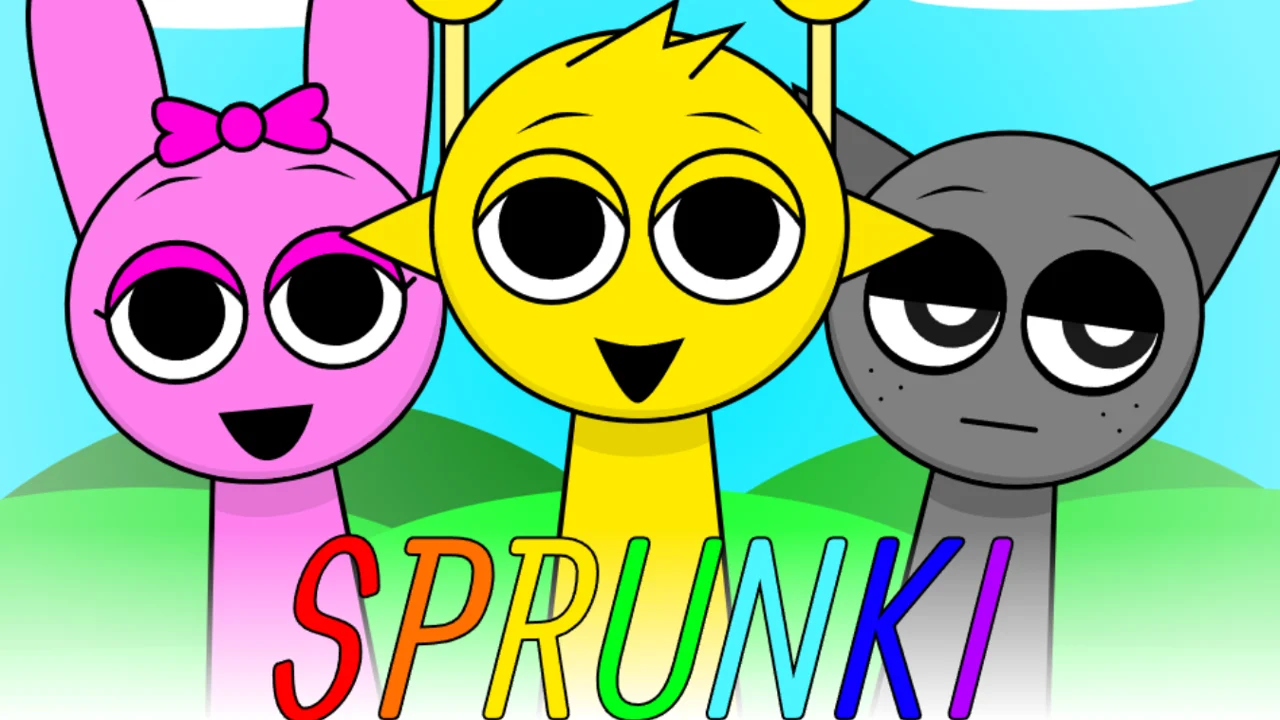
| Genre | Simulation |
| Platform | Browser, mobile and desktop |
| Developer | NyankoBfLol |
| Released | 2024 |
| Players | Single player |
| Price | Free to play |
| Rating | 4.5/5 from 35,919 ratings |
| Updated | July 2026 |
Sprunki is a casual music game that turns a strange cast of characters into your own personal band. Built by NyankoBfLol as a modded spin on the beatboxing game Incredibox, it hands you a simple DJ setup and lets you layer loops, vocals, beats, and melodies until the whole stage is humming. Every character you dress up changes the sound it makes, which means the finished track is really your styling.
You can play Sprunki free right here in the browser. There is no download, no account, and no app to install, and a mouse is the only gear the game asks for. It opens sunny and silly, but push the mix far enough and that same cheerful choir starts to look and sound cursed, which is the twist that pulled millions of players in.
If you have ever messed with Incredibox, the bones will feel familiar. The difference is the mood. Where Incredibox stays friendly, Sprunki keeps a horror door ajar, and walking through it is half the point.
- Casual music sandbox built on Incredibox, played with a mouse in the browser
- Stack beats, vocals, melodies, and effects by giving characters different outfits and accessories
- Opens bright and goofy, then unlocks darker phases with eerie visuals and dissonant audio
- Free to play on this page, with no download, no app, and no sign up
What is Sprunki?
Sprunki is a surreal music game that bolts a dress up toy onto a loop sequencer. You fill a row of character slots, and the outfit or accessory you drag onto each one decides the sound it plays. Stack a few of them and the separate loops lock together into a single track, built from beats, vocals, melodies, and effects. The surface is playful, and for the opening stretch it genuinely is, but the game also tucks away a horror route that players go out of their way to find. That split, sunny choir on one side and cursed soundscape on the other, is the reason a discontinued project from 2024 still gets loaded up every day.
Because there are no notes to hit and no tempo to match, Sprunki reads more like a toy than a rhythm game. You are not being graded. The payoff is the sound itself, plus the small jolt of triggering a combo the game tried to hide.
Nothing here is locked behind a tutorial. The game teaches itself by letting you drag, listen, and undo, so within a minute you understand the entire mechanic. That flat learning curve is why it spreads so easily, since anyone can make something that sounds intentional on the first try.
How to play
- Open the game and find the row of empty character slots sitting along the stage.
- Drag an accessory or outfit from the bottom tray onto a character to give it both a look and a sound.
- Keep stacking pieces across several characters so the beats, vocals, melodies, and effects layer into one track.
- Pull an accessory back to the tray to mute that layer and reshape the song on the fly.
- Hunt for the hidden item combinations to trigger secret animations and unlock bonus characters.
- Push the mix far enough and the world tips into a darker phase, swapping the bright visuals for something eerie.
Quick start: your first track in a minute
Open the page and the stage is already loaded. The bottom tray holds the twenty icons that make up the entire sound library, laid out in four rows. Grab any icon, drop it onto one of the empty character slots up top, and that slot starts looping at once. Drop a second icon on a different slot and the two loops snap to the same tempo without you doing anything, which is the one piece of real magic the game handles for you. Four or five drops in, you have a full beat playing, and if it sounds wrong you pull the offending icon back off. There is no settings menu between you and the music and no setup screen, so the gap between opening the page and hearing your first loop is a matter of seconds.
Objectives: what counts as winning
Sprunki never scores you. There is no high score, no timer, no fail state, and no level you must clear to keep playing, which is a big part of why it reads as a toy before it reads as a game. The goals are ones you set for yourself. The first is plain: build a loop that sounds good in your ears. The second is to dig out the secret combinations that unlock bonus animations and the bonus characters the tray never shows you. The third, and the one most players are really here for, is to push the mix until the bright stage cracks open into the horror phase. Reaching that dark shift is the closest thing Sprunki has to a win condition, and the first time you trip it on your own is the moment the game clicks.
Mouse controls and the mixing tray
Everything in Sprunki runs on a mouse. There is no keyboard layout to learn, no timing window to hit, and no sheet of notes to read. You point, you drag, and the characters handle the rest. On a touch screen the same gestures work with your finger, which is why the game translates so cleanly to phones and tablets.
| Action | Desktop | Touch device |
|---|---|---|
| Pick up an item | Click and hold the accessory in the tray | Tap and hold the accessory in the tray |
| Assign a sound | Drag it onto a character and release | Drag it onto a character and release |
| Mute or remove a layer | Drag the accessory back off the character | Drag the accessory back off the character |
| Reset the stage | Click the reset control | Tap the reset control |
Drag, drop, and swap
The drag and drop loop is the whole game. Each item in the tray maps to exactly one sound, and dropping it onto a character turns that character into a living instrument. Pulling the item back silences it at once, which makes editing your track as quick as building it. Because nothing sits behind a menu, you tend to experiment more freely than you would in a tool with a real interface, and that low friction is a big part of why the game lands. You can rebuild the entire song in a few seconds, fail with no penalty, and try again.
Characters, outfits, and the sounds they make
The cast is the instrument. Each character has a base form, and the accessory you hand it decides whether it pumps out a beat, a vocal, a melody, or an effect. The avatars are intentionally odd, television heads, satellite dishes, and Medusa style figures among them, and every one of them reads as a member of the band rather than a button on a panel.
| Layer | What it adds to the track |
|---|---|
| Beats | The drum and rhythm foundation every other sound sits on |
| Vocals | Hummed or sung lines that carry the tune |
| Melodies | Tuned riffs and patterns that fill out the harmony |
| Effects | Texture and punctuation such as sweeps, clicks, and stingers |
The four sound rows, and how to stack them
The tray is not a random pile of sounds. It is a grid of twenty icons arranged in four rows of five, and each row is one layer of the finished track. Beats are the floor, the kick and snare pattern that everything else stands on, so most players drop one in first to set the pace. Effects add the motion on top, clicks, sweeps, and stingers that keep the loop from feeling flat. Melodies carry the tune, the part you would catch yourself humming later. Voices are the human layer, hummed, sung, or half spoken lines that give the track its face. A stage with only beats is a drum loop. Add a melody and it becomes a song. Drop a voice in last and it suddenly sounds finished, which is why the order you stack the rows changes how each new addition lands.
Meet the cast
Every icon in the tray is a specific character with its own look and its own fixed loop, so the cast doubles as your instrument list. The designs are deliberately strange, which is half the reason short clips of the game travel so well online. A few of the faces you will pull onstage:
| Character | Look | Role in the mix |
|---|---|---|
| Oren | Round and orange, easygoing | A warm loop you can build the rest around |
| Raddy | Red, tight, on edge | Sharp hits that cut through the beat |
| Clukr | Gray with a satellite dish on its head | Metallic pings and processed sweeps |
| Funbot | Boxy little robot with a screen face | Robotic texture and stingers |
| Vineria | Green figure with a head of leaves | Soft organic shake underneath |
| Mr. Sun | A grinning sun hanging in the sky | Background warmth and ambient detail |
| Wenda | White, still, watchful | A clean lead line that owns the front |
| Black | Tall, dark, nearly faceless | The icon that flips the stage to horror |
Outfits change the sound
An accessory is never just decoration. The same character wearing a different item produces a different loop, so the wardrobe is really a sound library in disguise. Half the fun is grabbing two characters that look unrelated and hearing how their loops lock together. A clean beat under a half spoken vocal can suddenly sound like a finished song, and once that clicks you start hearing the cast as instruments rather than mascots. None of these characters are locked, either. Every name above is sitting in the tray from the moment the page loads, Black included, and Black is the one icon that rearranges the whole game.
Secret combos and bonus characters
Some combinations are deliberate. Put the right items on the right characters and the game reacts with a secret animation or a bonus character that was never in the tray. The game does not list these anywhere, so players pass them around the way they used to pass cheat codes on the playground. That hidden layer is what stretches a quick session into a long one, because there is always one more combo you have not tried, and the only way to find it is to keep mixing.
Phases and the shift from bright to bleak
Sprunki does not use traditional levels. It moves through phases, and the phase you are in sets the mood of both the picture and the sound. The opening phase is sunny and goofy, and it eases you into the loop before anything turns. Push further and the same tools bend toward something darker, with the visuals and the audio both pulling the same direction at once.
| Phase | Look | Sound |
|---|---|---|
| Early | Bright colors, silly costumes, open skies | Cheerful loops and clean harmonies |
| Middle | Background details start to go wrong | Tunings drift and small dissonance creeps in |
| Late | Black skies, cursed avatars, posters appear | Dissonant and haunting soundscapes |
The Black icon: how the horror phase flips on
The shift into horror is not random and it is not on a timer. It has a single cause, and once you know it the whole game reorganizes around it. Drag the Black icon, the last voice in the tray, onto a character slot, and the sunny stage folds into its horror phase in one move. The sky goes dark, the cast warps into damaged versions of itself, the clean loops detune into dissonance, and the background fills with details that were not there a second ago, the missing person posters among them. Pull Black back off the slot and the stage snaps bright again. That single on and off switch is the entire progression system, and it is why Sprunki can be a calm beat maker and a horror piece inside the same session without either mood feeling forced.
The horror route
This is the part everyone talks about. In the late phases the cheerful tree can sprout missing person posters, the once harmonious band turns sour, and your jolly cast starts to look cursed. The shift is earned through progression rather than dropped on you as a jump scare, and that slow rot is what pushed the game into the spotlight. If horror is not your genre, the lighter phases still work as a clean beat maker, but the dark content is the headline attraction and the reason most people seek the game out.
What changes as you progress
Progress here is not a ladder you climb. It is closer to a circle you walk around. In the bright phase you are gathering loops, learning which characters lock together, and chasing the combos that pop bonus animations. The first time you place Black and the stage inverts is the real milestone, and after that you start treating the two phases as two separate instruments, bright and dark, switching between them on purpose to push a track into tension and pull it back out. The wider fan community has stretched this idea further with unofficial phases numbered three, four, and beyond, each one a darker remix of the same cast, but those are separate uploads by other makers. The build on this page is the original NyankoBfLol version, Phase 1 and Phase 2 together, which is the one the whole phenomenon grew out of.
Tips to unlock secret tunes and bonus characters
- Try the odd pairings first. The secret combos tend to come from character and accessory matches that look wrong.
- Stack all four layer types, beats, vocals, melodies, and effects, before you mute anything. A full stage reveals interactions a thin one hides.
- Pull layers off mid track to build dynamics. A drop into near silence lands harder than a constant wall of sound.
- Watch the screen for tells. Flashing characters and background changes are the game signaling a bonus or a phase trigger.
- Leave it idle now and then. Small animations and Easter eggs surface when you stop interacting for a moment.
- When a build sounds great, screenshot the stage before you reset. The tray does not remember your last song.
What makes it stick
Most music toys are either toys or tools. Sprunki lands somewhere stranger. The drag and drop loop is simple enough that anyone can make something that resembles a song inside a minute, but the buried horror layer gives the calm sandbox a reason to keep going. You are not only making beats, you are poking at a game that is quietly daring you to dig up its worst version. That is a rare hook for a browser toy, and it explains why a project the creator stopped updating in late 2024 still pulls a crowd. Rumors of a Sprunki Remastered project float around, but with no release date attached, the version on this page is the one people actually play.
Which version is which
With so many copies and remixes floating around online, it helps to know exactly what you are loading before you click:
| Version | What it is | Where to find it |
|---|---|---|
| The original (Phase 1) | The sunny base game with the full set of twenty loops | Right here on this page |
| Phase 2 (Horror) | The dark inversion, switched on by the Black icon | Built into the same game, no separate load |
| Fan phases 3, 4, and up | Community made darker remixes by other creators | Separate Scratch and web uploads elsewhere |
| Sprunki Remastered | A rumored overhaul of the original | No release date, not yet available |
Is it free and safe to play in the browser
Yes. Sprunki runs entirely in the browser, so there is no installer to run, no account to make, and no file to download. It plays on desktops, laptops, Chromebooks, tablets, and phones, and it only asks for a mouse or a touch screen. Because everything stays inside the browser sandbox, the surface for anything going wrong is small, and nothing you do in the game touches the rest of your device. You can play Sprunki free on this page right now. Because there is nothing to install and nothing to sign into, there is also nothing for the game to hold over you. Close the tab and it is fully gone, with no leftover files and no stored profile, which is a big part of why it runs so well on shared family machines and school laptops.
Solo only, with no saves and no multiplayer
Sprunki is single player from top to bottom. There is no lobby, no friend list, no shared stage, and no way for a second player to drop in, so everything you build stays between you and the screen. There is also no account and no save system, which has one real consequence worth knowing up front: the tray does not remember your last track. The moment you refresh the page or close the tab, the song is gone, every layer wiped clean. Players work around it the obvious way, by screen recording the mix or grabbing a screenshot of the stage while it still sounds good, because that screenshot is the only record of which icons you had up. If you want to hand a track to a friend, the recording is the track.
Play on mobile
Sprunki runs in your browser. If you want something similar to play on your phone, Bad Cat Prankster is a good pick.
Frequently asked questions
Is Sprunki free to play?
Yes. Sprunki is free to play in the browser on this page, with no download and no sign up.
Who made Sprunki?
It was built by NyankoBfLol as a modded, spooky take on the beatboxing game Incredibox. It first showed up on Scratch in 2024 before becoming a standalone web game.
When did Sprunki come out?
The original Scratch version appeared in 2024. It launched as a standalone browser game in October 2024, and its final update landed in November 2024.
Where can I play Sprunki unblocked for free?
You can play it right here. Sprunki is unblocked on African Safari Games and runs straight in your browser, so it works on most networks that allow browser games, with nothing to install.
Does Sprunki work on a Chromebook or Mac?
It does. Sprunki runs in the browser, so it plays on Chromebooks, Macs, Windows PCs, tablets, and phones, as long as you have a mouse or a touch screen.
Is Sprunki a horror game?
It starts as a cheerful music toy, but it hides a darker horror phase with cursed visuals and unsettling audio. If horror is not your thing, the early phases still work as a calm beat maker.
Sprunki gameplay video