
Doodle Road
| Genre | Puzzle |
| Platform | Browser, mobile and desktop |
| Developer | Ctrl4ltDel |
| Released | 2024 |
| Players | Single player |
| Price | Free to play |
| Rating | 4.5/5 from 25,970 ratings |
| Updated | July 2026 |
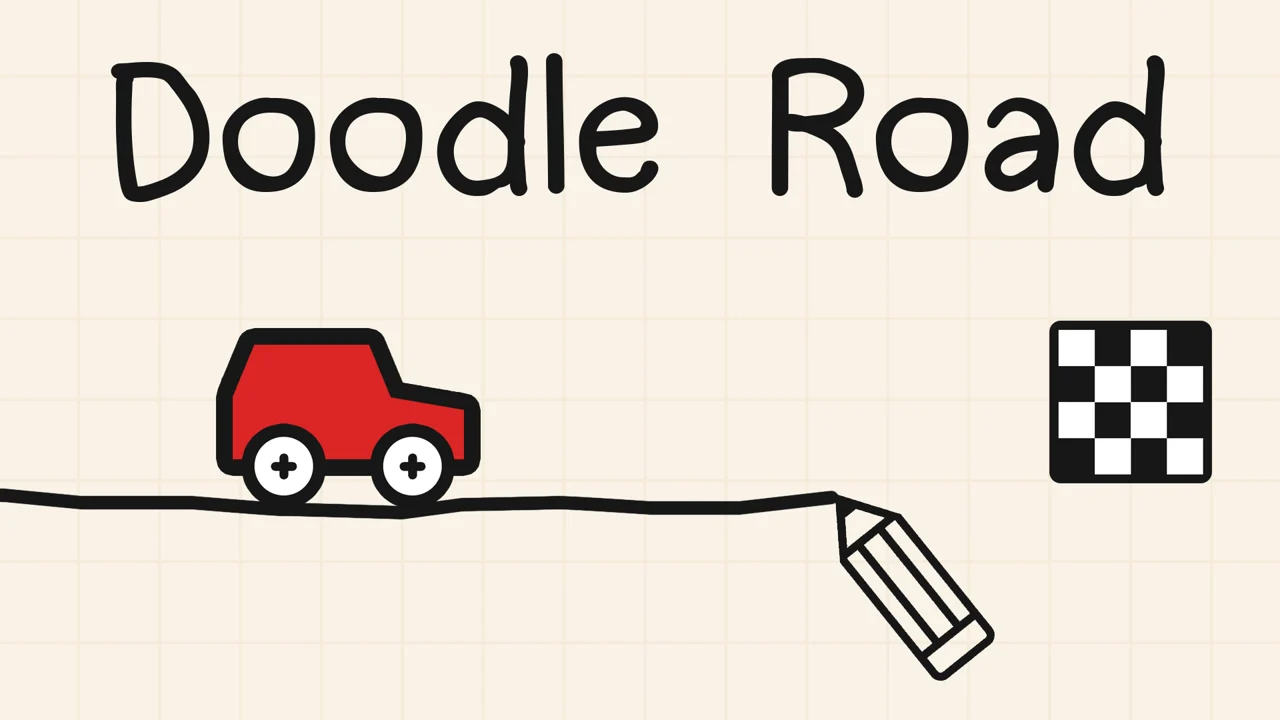
Doodle Road is a 2D drawing puzzle where you sketch a path for a little car and then watch it try to drive across what you just drew. The idea sounds almost too simple. Connect the car to the flag with a line, hit start, and hope your hand was steady enough. Most of the time it was not, and that gap between the line you meant to draw and the line you actually drew is where the game lives.
It is a free browser game that runs on desktop and mobile, with no download needed. You can open it on a Chromebook, a laptop, or a phone, and a single round takes seconds to set up but a long time to master. African Safari Games hosts it in the player above.
- A 2D drawing and physics puzzle where you sketch a road that a car has to actually drive.
- Free to play in your browser on desktop and mobile, with no download and no account.
- Single player, with short levels that stack new rules as you progress.
- The hook is that your hand drawn line has to be drivable, not just straight.
- The car has weight, momentum, and a small engine that switches off on later levels, so your line shape is the only thing keeping it moving.
What is Doodle Road?
Doodle Road is a casual puzzle game built around one drawn line. You start each level with a parked car and a target flag. Your job is to draw a line from the car to the flag, press start, and let the car drive along the ink you laid down. If the line is too steep, too jagged, or floats free of the car, the vehicle stalls, tips over, or rolls off into nothing. There is no health bar and no timer in the early stages. You either reach the flag or you restart and draw again, and a single level often takes five or six attempts before the line comes out the way you wanted.
The puzzle layer sits on top of a light physics model. The car has weight, momentum, and a small engine, and those properties matter more and more as the levels add walls, gaps, and slopes. Early on you can get away with a rough sketch. By the middle of the game the engine shuts off entirely and the only thing moving you forward is the shape of the terrain you drew. That shift, from drawing a road to drawing a ramp, is where Doodle Road stops being a tracing exercise and starts being a real physics problem. The game also rewards redrawing. There is no cost to wiping the line and trying again, so the loop becomes draw, watch the car fail in one specific way, fix that one flaw, and run it again.
Everything you interact with is a static object placed on the canvas before you draw. The car, the flag, the walls, the floor gaps, and the bouncy springs never move on their own. Only your ink moves anything, which means every win is something you built and every loss is a line you can edit.
How to play
- Look at the level, find the parked car, and spot the target flag.
- Hold the left mouse button and drag to draw a line from behind the car to the flag.
- Press Space or the start button to send the car rolling along your line.
- If the car stalls, falls, or misses the flag, press R or the restart button to wipe the line.
- Reshape the path and run it again until the car reaches the flag.
Quick start
If you have ten seconds before you draw, here is the whole game. Spot the car, spot the flag, and decide in one word what is between them, a wall, a gap, a corner, or a high ledge. Start your stroke behind the rear wheels so the car has ground to grip. Lay down a smooth line that clears whatever is in the way, dipping under walls, bridging gaps, and rounding corners. Tap Space, watch the car, and if it fails, hit R and fix only the part of the line that let you down. You will restart often, and that is how the game is meant to be played.
Objectives and how you win
The win condition is always the same: get any part of the car to touch the flag. There is no score, no star rating, and no time bonus. The flag is a small checkered marker, and the moment the car rolls over it the level ends and the next one unlocks. Because there is no scoring, there is no wrong way to reach the flag. A clumsy ramp that barely catches the edge counts the same as a clean curved road, so you are never punished for an ugly solution. The only failure state is the car coming to a complete stop short of the flag or falling off the canvas, and both of those just send you back to the drawing step.
Drawing and driving
Drawing is the whole input. You hold the left mouse button and drag to lay down ink, and that ink turns into solid ground the moment you press start. There is no steering during a run. Once the car moves, your only options are to watch it or restart. That sounds limiting, but it is exactly the point. The only lever you get is the shape of the line, so every bit of skill in the game comes down to drawing better.
| Action | Desktop | Mobile |
|---|---|---|
| Draw the path | Hold left mouse button and drag | Touch and drag with one finger |
| Start the car | Space, or the start button | Start button on screen |
| Restart the level | R, or the restart button | Restart button on screen |
Reading the level before you draw
Every level is static. The car, the flag, the walls, the gaps, and the springs are all placed before you draw a single line, so you can study the layout first. The smoothest runs start with a few seconds of looking. Where is the flag relative to the car, and is it higher, lower, or across a gap? Is there a wall in the way, and is there room underneath it? Once you can name the obstacle in a word, the shape of the line usually suggests itself. Players who draw first and think second end up restarting a lot more often.
Starting your line right
Your line has to begin behind the car, not on top of it and not floating in front of it. If you start the stroke somewhere out in the air, the line just dangles off into nothing and the car has no ground to drive on. Anchor the first bit of ink under the rear wheels and pull it forward from there. A line that starts clean gives the car traction in the first second, and that first second is usually the difference between a clean run and a stall.
Keyboard and input reference
The control set is intentionally tiny, which is why the game works on a phone with no keyboard at all. Three inputs cover the entire experience.
| Input | What it does | When you reach for it |
|---|---|---|
| Left mouse, hold and drag | Lays down the ink that becomes solid ground | Before every run, and again right after any restart |
| Space | Sends the car rolling along the line you just drew | Once the path looks finished |
| R | Wipes the current line and resets the car to its start spot | Any time the car stalls, falls, or sails past the flag |
| One finger touch and drag | The mobile version of the left mouse drag | On phones and tablets in place of the mouse |
The draw then drive loop
Because you cannot steer while the car moves, every run is really two phases bolted together: a drawing phase where you build the world, and a driving phase where you watch physics test it. The trick is to keep them strictly separate. Edit only while the car is parked, and never try to extend a line mid run because the ink will not help a car that is already in motion. When the car fails, name the flaw out loud, the dip was too steep, the corner was too sharp, the bridge missed the far edge, then restart and redraw only that segment. Treating each attempt as a one fix at a time pass is what turns a frustrating level into a quick one.
Drawing on a phone versus a mouse
The same level plays differently depending on your device. A mouse gives you precision on long straight bridges and lets you hold a steady angle, but tight curves can come out angular. A fingertip on a phone is naturally smoother for arcs and loops, which is a real advantage on L shape levels, but it is harder to anchor the start of the stroke exactly behind the rear wheels. Neither input is better overall. Phone players tend to nail the curvy late levels, and mouse players tend to nail the long ramp jumps, so the device you are on quietly shifts which stages give you trouble.
Obstacles and tools
Each level adds something to route around or use to your advantage. The car cannot fly and it cannot jump on its own, so every obstacle is really a question about the shape of your line.
| Obstacle or tool | What it does to your run |
|---|---|
| Wall | Blocks a straight path. Route under it or around it, since the car cannot climb a vertical face. |
| Gap in the ground | A hole the car drops into. Bridge it with your line, or build a ramp to jump across. |
| L-shape | A corner you have to curve around. Sharp turns kill momentum, so round them off. |
| Spring | A bouncy pad that launches the car toward the target. Hit it with speed for a bigger boost. |
Walls, gaps, and L-shapes
The first real twist is the wall. You cannot draw a line through it, and the car has no way over a tall vertical surface, so the answer is usually underneath. Early levels leave space below the wall on purpose, to teach you that down is a valid direction. Gaps in the floor come next. The car will drop into any hole you leave open, so you either span the hole with ink or fold it into a ramp. L-shapes force you to stop drawing straight and start curving, which is harder than it sounds when you are working with a mouse or a thumb.
Springs and momentum
Springs show up later and they change the way you draw. A spring is a launch pad. The faster the car hits it, the farther it throws the car, so the line leading into a spring matters as much as the spring itself. You draw a downhill approach to gather speed, aim the car at the pad, and let the spring do the rest. Some flags can only be reached this way, sitting on ledges that no drawn road could ever climb to.
Drawing technique cheat sheet
Once you know the obstacles, the only remaining skill is line shape. These four techniques cover almost every level in the game.
| Technique | Why it matters |
|---|---|
| Anchor behind the rear wheels | Gives the car traction in the first second so it does not spin out at the start line |
| Round every corner into an arc | A sharp angle stalls the car dead, while a curve lets it carry speed through the turn |
| Lead spring approaches with a downhill | Builds free speed the engine does not have to provide, so the pad throws the car farther |
| Aim for the center of the spring | A centered hit launches the car straight up, a glancing hit throws it sideways off the canvas |
How the levels ramp up
The difficulty curve is gentle at first and then drops you into real physics problems. Early levels teach the pen. Middle levels add obstacles one at a time. Late levels combine them and turn off your engine.
| Stage range | What changes |
|---|---|
| Opening levels | Practice drawing a straight, drivable line from car to flag with nothing in the way. |
| Early walls | A wall appears. Learn to route under or around it instead of straight through. |
| Around level 5 | The engine shuts off mid run. Forward motion now comes from slopes and momentum. |
| Later levels | Springs, wide gaps, and L-shapes combine. You draw ramps as often as roads. |
When the engine cuts out
Somewhere around level 5 the engine stops firing while the car is moving. From that point the car coasts on whatever momentum you gave it and on the slopes you drew. This is where Doodle Road stops being a tracing game. You start thinking in ramps and valleys. Draw a downhill run to build speed, then curve it up into a ramp to turn that speed into a jump. Get the angles wrong and the car rolls backward and stops. Get them right and it sails across a gap the engine never could have climbed.
Mixing obstacles together
Late levels stop handing you one new thing at a time and start stacking them. A level might give you a wall to duck under, a gap to bridge, and a spring to launch from, all on the same run. The trick is to solve each piece on its own first. Plan the line under the wall, then figure out where the bridge has to land, then shape the approach to the spring so the car hits it with enough speed. Trying to draw the whole run in one go usually produces a line that fails at the first obstacle.
What you unlock as you progress
Doodle Road does not hand out skins, coins, or upgrade trees. The only thing you unlock by clearing a level is the next level, which keeps the focus on the puzzle instead of on a meta progression. Levels are unlocked in a fixed order, so level 6 only opens once the car has touched the flag on level 5, and you can jump back to any cleared level at any time to retry it or show a friend. There is no currency to spend, no car to buy, and no item shop. The car stays the same from the first level to the last, which means the difficulty you feel late in the game is coming entirely from the level design, not from a vehicle you failed to upgrade. The reward loop is simple and deliberate: beat the level in front of you, see what new obstacle the next one adds, and go back to drawing.
Solo play, no accounts, no multiplayer
Doodle Road is single player only. There is no online lobby, no leaderboards, and no way for a second player to join your run, so you never wait for a match and you never get matched against anyone. That also means there is nothing to log into. You open the page, draw, and play, with no username, no password, and no profile to create. The game keeps your place locally as you move through the levels, and closing the tab simply parks your progress on this device. If you want to compare runs, you do it the old fashioned way, by handing the device to someone else and seeing if they can draw a cleaner line than yours on the same stage.
Tips to finish the trickier stages
- Start every line from behind the car. A stroke that begins in mid air gives the wheels nothing to grip.
- Round your corners. The car loses speed on sharp angles and can stall dead on a hard turn.
- When the engine is off, draw a downhill first. Speed is the only thing moving you forward.
- Use the whole canvas. Dipping under a wall or looping wide around a gap is often easier than a direct line.
- Hit springs with momentum. A slow car off a spring barely moves, so build speed on the approach.
- Restart freely. There is no penalty for redrawing, and most levels fall on the third or fourth attempt.
- Fix one flaw per attempt. Editing a single segment between runs is faster than redrawing the whole path each time.
What makes it hard
The hard part is not finding the flag. It is that your hand is not as steady as your eye. You can see the perfect line in your head, a smooth arc under the wall and over the gap, and then you draw it and there is a kink in the middle that stops the car cold. A line that looks fine to you can still be too steep for the car to climb, or too sharp for it to corner without losing all its speed. Doodle Road is a game about the gap between what you intend and what you execute, played out in ink on a screen. That is a more interesting puzzle than a one line car game has any right to be, and it is why the levels pull you back even though the rule set is small.
Is it free and safe to play
Doodle Road is free to play in your browser with no download, no account, and no payment. It runs on desktop and on mobile, including Chromebooks and Macs, because the whole thing is a web page. There is nothing to install and nothing left running after you close the tab. It is the sort of casual puzzle you can open, play for five minutes between tasks, and put away without a thought.
Runs in the browser sandbox
The game lives entirely inside your browser tab. It uses standard web drawing and physics that run inside the same sandbox the browser applies to every web page, so it cannot reach your files, install anything to your system, or keep running after you close the tab. When you walk away, the tab is closed, and the game is gone until you open the page again. There is no separate app, no launcher, and no background process, which is exactly what makes it safe to open on a school Chromebook or a work laptop without leaving a trace.
No download, no account, no payment
Nothing about Doodle Road asks you for money or identity. There is no download prompt, no sign up wall, no in app purchase, and no premium version to unlock. Your progress is stored on your device, not on a server tied to an account, so you are never creating credentials or handing over an email just to play a drawing puzzle. If a level feels too hard, the answer is always to redraw the line, never to spend anything. That no strings structure is a big part of why it works so well as a quick break game.
Play on mobile
Doodle Road runs in your browser. If you want something similar to play on your phone, Color Match is a good pick.
Frequently asked questions
Is Doodle Road free?
Yes. Doodle Road is free to play in your browser with no download and no account.
How do I play Doodle Road?
Draw a line from behind the car to the target flag with the left mouse button, then press Space to start the car. Press R to restart if it stalls or falls.
Can I play Doodle Road on my phone?
Yes. It runs in mobile browsers with touch drawing, and it works on desktop and Chromebook too.
Is Doodle Road unblocked?
Yes. Doodle Road is unblocked on African Safari Games and plays right in your browser, with nothing to download or install.
Who made Doodle Road?
Doodle Road was made by Ctrl4ltDel and released in August 2024.
Does Doodle Road have an ending?
There is no single ending. The game has many levels that add walls, gaps, springs, and an engine that cuts out around level 5, and you can work through them at your own pace.
Doodle Road gameplay video