
PolyTrack
| Genre | Driving |
| Platform | Browser, mobile and desktop |
| Developer | Kodub |
| Released | 2024 |
| Players | Multiplayer |
| Price | Free to play |
| Rating | 4.5/5 from 88,614 ratings |
| Updated | July 2026 |
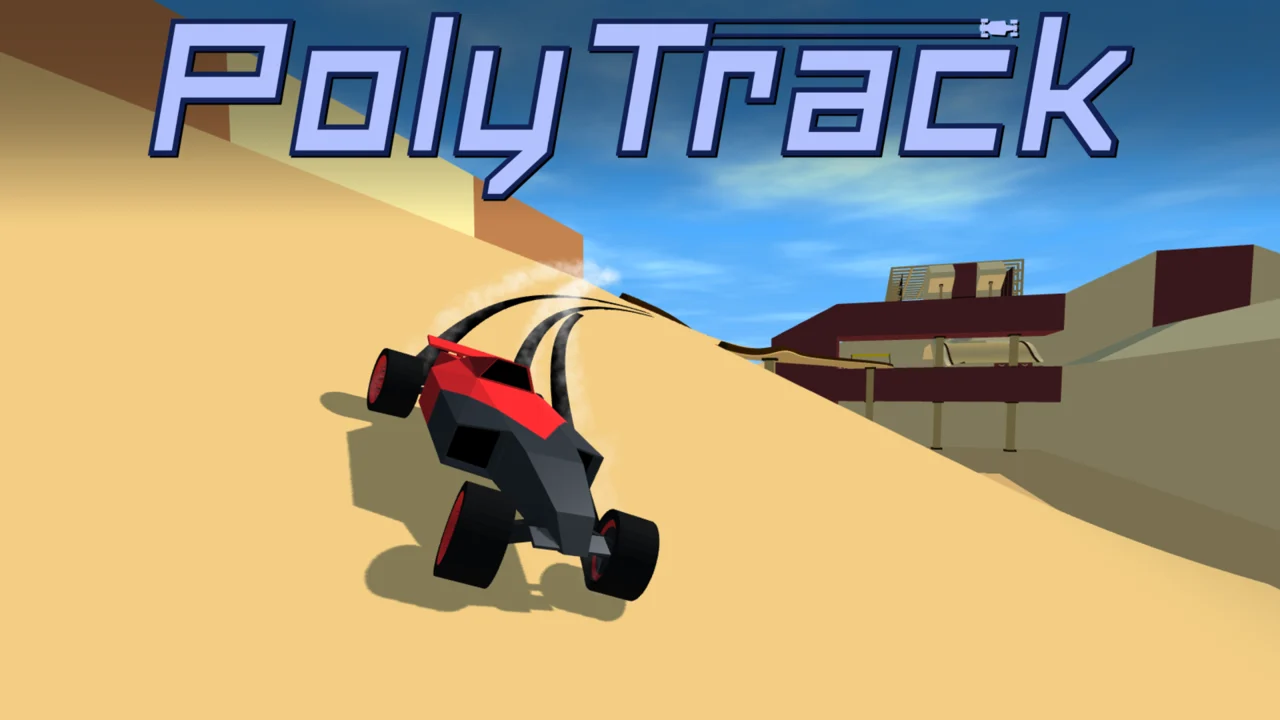
PolyTrack is a low-poly racing game where the car you drive and the track under its wheels can both be your own work. You tune a vehicle, then line up on a course you built in the level editor, or pick one of the official circuits. Speed is the point, and the clock measures every lap down to the thousandth of a second.
The whole thing runs free in a web browser on desktop or phone, with nothing to install. Behind the clean blocky look sits a game that mixes time-attack racing with track design, vertical loops, big jumps, and asynchronous ghost battles against other players.
- A low-poly 3D driving game built around lap times, custom tracks, and car tuning.
- Race official circuits, build your own with the level editor, or import community designs through share codes.
- Chase verified leaderboard times and race against ghost cars, including your own past best.
- Free to play in a browser on desktop and mobile, no download needed.
What is PolyTrack?
PolyTrack is a browser driving game from Kodub that puts you in a low-poly car on courses you can design yourself. The core loop is tight: drive a fast lap, study the clock, then refine either your driving line or the track itself until the time drops. Most arcade racers hand you a finished circuit and call it done. PolyTrack hands you the editor too, so the track list never really closes.
Two halves keep feeding each other. On the racing side you thread a tuned car through loops, ramps, and tight bends while the timer logs every fraction of a second. On the building side you place those same loops, ramps, and bends with the level editor, then export the layout as a shareable code. Players swap codes in community forums, which pushes the catalogue of playable tracks well past the official set.
How to play
- Pick a car and set its primary and secondary colors before you hit the track.
- Load an official circuit to learn the handling, or open the level editor and draw your own course.
- Push the throttle on the straights and ease off early for sharp corners, ramps, and loops.
- Cross the finish line, check your lap time, and see how it compares to the verified leaderboard.
- Improve the car or the track, then share your edited layout as a code with other players.
- Race the ghost of a faster rival or your own previous best to shave off more time.
Driving controls and steering
PolyTrack keeps the controls small whether you drive on a keyboard or a touch screen. Straights are forgiving, but corners, ramps, and loops reward smooth, early inputs over last-second jerks. Learning to read the track a few seconds ahead matters more than raw reaction speed.
| Action | Desktop | Mobile |
|---|---|---|
| Steer | Arrow keys or A / D | On-screen steering |
| Accelerate | Up arrow or W | Gas pedal |
| Brake and reverse | Down arrow or S | Brake pedal |
| Drift | Space bar | Dedicated drift button |
Holding a drift through corners
Drifting is built into the handling, and the game earns its Drifting tag. Around a tight bend you can break traction with the drift input and carry the car sideways through the apex instead of slowing to a crawl. The trick is committing to the slide early and straightening the wheel as you exit, so you do not bleed speed onto the next straight. Overdo it and you spin wide into the scenery. Get it right and you keep momentum that a cautious driver would lose.
Surviving loops, jumps and airborne sections
The signature pieces in PolyTrack are the vertical loops and the ramps that launch the car into the air. On a loop the key is entry speed: too slow and you fall off the inside, too fast and you scrub time against the curve. Off a ramp you get a brief window in the air to line up the landing. A clean touchdown keeps your speed, while a nose-first or sideways landing kills it. These sections are where good track design and good driving meet, because a slightly better ramp placement can save tenths across a lap.
Building and sharing custom tracks
This is the half of PolyTrack that most driving games do not have. The level editor lets you lay down straights, curves, ramps, and loops, then string them into a full circuit. Your first builds will probably be simple, and that is fine. The editor rewards iteration: drive the track, find the weak corner, change it, drive again.
Once a layout works, you export it as a code. That code is small enough to paste into a forum post or a chat, and another player can paste it back to load your exact track. It is the same mechanic that keeps the community track list growing.
Starting simple in the level editor
The easiest first track is a straight line, and the community says the same thing. Start there to learn how pieces snap together and how the car behaves at full speed. Once straight lines feel comfortable, add a gentle curve, then a ramp, then a loop. Jumping your car over a raised section, or sending it soaring past a mountain in the background, comes from layering small confident steps rather than building a wild course on the first try. Patience pays off, because a track that looks clever but drives poorly will never hold a fast lap.
Finding tracks through community codes
If you are not sure what to build, the community has you covered. Forums collect design codes, customization tips, and full track packs that you can import with a paste. Browsing those threads is a fast way to see what good design looks like before you try it yourself, and exporting your own code back is how the next player finds something new. Treat the forums as a second track list that never stops updating.
Official tracks and seasons
If you would rather drive than build, the official roster is ready. There are 17 official circuits spread across three seasons, plus a growing pile of community tracks. The seasons only change the scenery around the course, not the driving feel, so a fast line on one works on its seasonal twin.
| Season | Official tracks | What changes |
|---|---|---|
| Summer | 7 | Green hills and warm backdrops |
| Winter | 5 | Snow and cold, pale scenery |
| Desert | 5 | Sand, rock, and dry open terrain |
| Community | Growing list | Player-made courses of every shape |
Why the season only changes the look
Summer, winter, and desert versions of the tracks share the same layout and the same physics. A corner that works in the summer green works just as well in the winter snow. Kodub set it up this way on purpose: you learn a track once, and the seasonal skin is a visual refresh rather than a new challenge. It also means your lap time on a layout carries over regardless of which season you pick, which keeps the leaderboard clean.
Ghost racing and leaderboards
The leaderboard is where PolyTrack turns from a solo lap timer into a competitive game. Each track shows the best lap times set by verified players, so you always know the target. From there you can pull a rival's run onto the track as a ghost car and chase it in real time, or replay your own best lap and try to beat yourself.
| Mode | How it works |
|---|---|
| Verified leaderboard | Shows the best lap times set by verified players on each track |
| Rival ghost | Pick a player from the board and race their ghost car alongside you |
| Self ghost | Your own previous best lap replays as a ghost to chase |
| Time attack | Solo runs against the clock, with no other cars on the track |
Reading the verified leaderboard
Verified times are the benchmark. Before you start a run you can pull up the board for that track and see exactly how far ahead the fastest players are. Watching the gap change mid-lap as you race a ghost tells you which section is costing you the most time. Most drivers find their biggest gains on one or two corners, not across the whole lap, so focus your practice where the gap widens.
Racing your own ghost
You do not need a rival to have something to chase. Turn on your own ghost and your previous best lap replays on the track as a translucent car. Beat it and the new best replaces it next time. It is a quiet, addictive loop: shave a hundredth here, a tenth there, and watch the ghost fall behind you a little more each run.
Customizing your car
Vehicle customization in PolyTrack is focused and quick. You set a primary color and a secondary color, which gives the low-poly car its two-tone look on track. There are no stat trees or part upgrades to grind through, which fits the rest of the design: the car is consistent, the track is the variable, and your driving is what closes the gap to the top of the board. Picking colors that read clearly against the scenery is a small but real advantage when you are tracking your ghost at speed.
Tips to set faster lap times
- Learn one official track cold before you build your own. A known circuit is the only way to tell whether a slow lap is your driving or the layout.
- Brake and drift early. Most lost time comes from entering corners too hot, not from exiting too slow.
- Watch the verified ghost on your worst section, not your best. The corners where it pulls away are where your tenths are hiding.
- Keep entry speed steady on loops. Falling off the inside of a loop costs more time than any corner.
- Build tracks with flow, not just hazards. A ramp straight into a sharp turn feels fun but usually produces slow, sloppy laps.
- Straighten the wheel on landing. A clean touchdown after a jump keeps the speed you built on the ramp.
- Share your track codes and try other people's. Driving unfamiliar good designs teaches you lines you can reuse.
Playing free in the browser
PolyTrack is free to play and runs entirely in a browser, with no download and no account. That makes it a good fit for Chromebooks, Macs, and any machine where you cannot or do not want to install software. The desktop and mobile versions share the same tracks and handling, so a lap you learn on a laptop carries over to a phone. You can play PolyTrack right now on African Safari Games, and it works on most networks that allow browser games.
Why PolyTrack is hard to put down
What makes PolyTrack stick is the same thing that makes it look simple: the loop is short and the feedback is instant. You finish a lap, see a number, and immediately know if you were faster. Add a track editor that turns your own ideas into playable circuits, plus ghost cars that give you a visible target on every run, and the minutes stack up fast. It is a driving game that respects your time and still asks for one more lap.
Get PolyTrack on mobile
PolyTrack has an Android app on Google Play if you would rather tune and race on your phone.
Frequently asked questions
Is PolyTrack free to play?
Yes. PolyTrack is free to play in your browser with no download, on both desktop and mobile.
How do you play PolyTrack?
You pick a car, choose or build a track, then drive the fastest lap you can while the timer tracks every thousandth of a second.
Can you build your own tracks in PolyTrack?
Yes. The level editor lets you lay out straights, curves, ramps, and loops, and you can export the finished track as a share code.
Is PolyTrack multiplayer?
It is asynchronous multiplayer. You race ghost cars of other players pulled from the leaderboard, and you can also chase your own best lap as a ghost.
Is PolyTrack unblocked at school?
Yes. PolyTrack is unblocked on African Safari Games and runs straight in your browser, with no download and nothing to install.
Who made PolyTrack?
PolyTrack was made by Kodub, and the current release is from 2024.
PolyTrack gameplay video