
Crazy Zoo Monkey
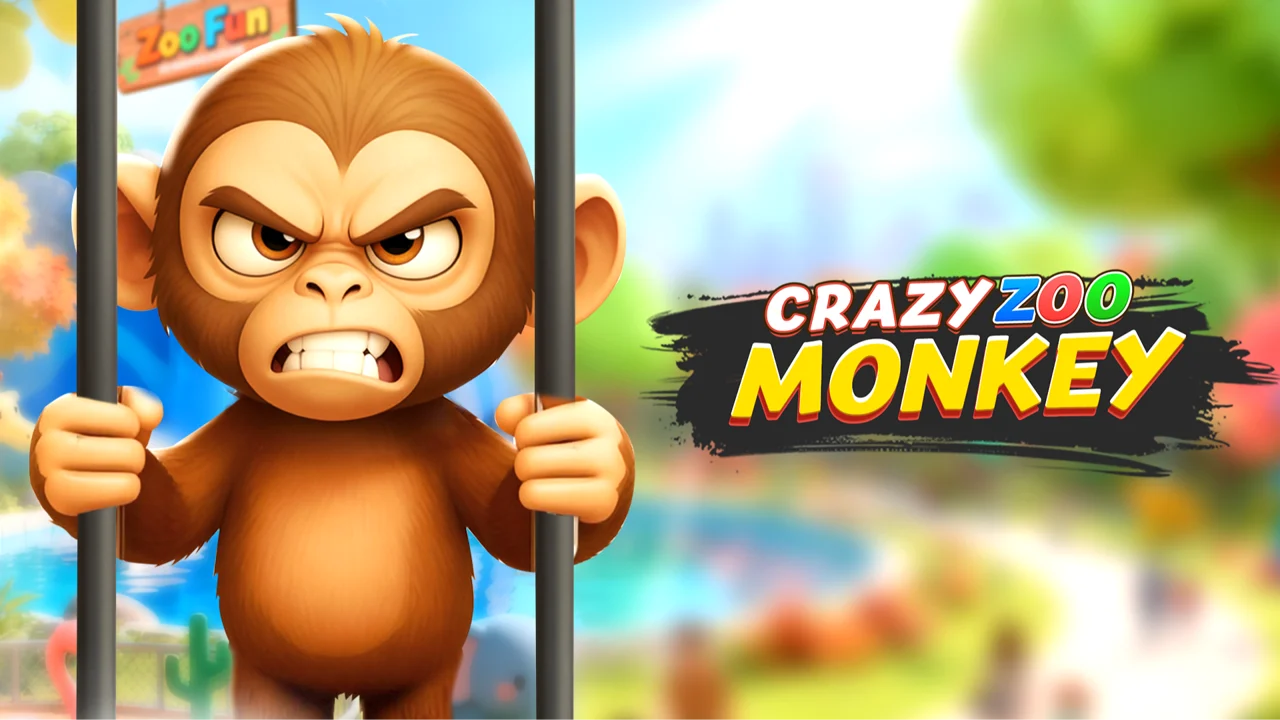
| Genre | Simulation |
| Platform | Browser, mobile and desktop |
| Developer | BBG |
| Released | 2025 |
| Players | Single player |
| Price | Free to play |
| Rating | 4.4/5 from 26,296 ratings |
| Updated | July 2026 |
Crazy Zoo Monkey drops you into the enclosure as a monkey with far too much freedom and almost no supervision. Visitors walk up to the cage to look at you, and you get to decide whether to entertain them, ignore them, or flip the whole place upside down. It is a 3D sandbox simulation that runs free in your browser, with no download and no setup.
The hook is blunt and effective. Nearly everything inside the enclosure can be grabbed, thrown, eaten, or smashed, and the humans watching react to whatever you do. Some laugh, some run, and a few decide to fight back. One second you are clowning for the crowd, the next you are launching a barrel at a screaming tourist. The cage is yours, and the rules are mostly suggestions.
- Genre: a 3D animal sandbox and casual simulation with a heavy meme streak.
- You play a monkey loose in a zoo enclosure, free to grab, throw, eat, and smash almost anything.
- Single-player chaos layered with a mission list, a dress-up mode, and built-in mini games.
- Free to play in the browser on desktop, with mobile support tagged in.
What is Crazy Zoo Monkey?
Crazy Zoo Monkey is a casual simulation built around one question: what would a bored, mischievous monkey actually do if the cage stayed open and the visitors kept coming? You do not run the zoo. You are the attraction, and the entertainment comes from how you choose to mess with the people watching you. Developer BBG released it in 2025, and it leans hard into meme energy and bloxy cartoon physics instead of anything realistic.
The core loop is grab, react, repeat. You pick up objects scattered around the enclosure, then attack with them, throw them, eat them, or smash them, and the humans respond in kind. Reactions fall somewhere on a line from friendly to aggressive, so the exact same move can play out differently depending on who is watching. Stacked on top are a task list that hands you goals, a dress-up screen, and a set of mini games you can jump into straight from the cage.
The grab, react, repeat loop
The whole game folds into a four-beat loop you can feel inside the first minute. Spot something loose in the enclosure, a prop, some food, or a barrel. Pick it up with Q. Then decide what kind of monkey you are: attack with E, throw with R, or eat and smash where the option appears. Finally, read the crowd, because a friendly visitor cheers, a scared one runs, and an aggressive one swings back. Every other system in the cage, the tasks, the dress-up, the mini games, sits on top of that loop. Learn the four beats and the rest of the keys are just new ways to dress them up.
Movement and mayhem controls
Controls are built for a keyboard and mouse, with a generous number of keys mapped to specific monkey behaviors. The basics move you around the enclosure, while the rest of the keys open up the sillier systems like peeing, pooping, dressing up, and launching mini games. There is no single correct way to bind your hands here, so plan to glance at the H key reference once and then forget it.
| Action | Desktop | Mobile |
|---|---|---|
| Move | WASD or arrow keys | On-screen joystick |
| Jump | Space | Jump button |
| Look around | Move mouse | Drag to look |
| Sprint | Shift or C | Run button |
| Attack | E or left-click | Tap the target |
| Pick up object | Q | Pick-up button |
| Throw object | R or right-click | Throw button |
Sprint keys and the joke buttons
Two keys do the same job and a couple exist purely for comedy. Shift and C both make you run faster, so pick whichever sits under your fingers when you need to chase a fleeing visitor. X triggers peeing and Z triggers pooping. These are not combat moves and they will not win a fight, but they count as mischief and the crowd absolutely notices. They are as childish as they sound, and that is exactly the point of a meme sandbox.
Every mischief move and its key
Most of your keyboard maps to one specific brand of trouble. Some keys move you, a few open menus, and the rest are pure monkey behavior. This is the full mischief kit, the moves you reach for when the cage needs turning over.
| Move | Key | What it does |
|---|---|---|
| Sprint | Shift or C | Run faster to chase a fleeing visitor |
| Pick up object | Q | Grab a loose prop, food, or throwable |
| Attack | E or left-click | Swing at or smack a target |
| Throw object | R or right-click | Launch barrels and props across the cage |
| Eat | Context option | Chow down for a reaction |
| Smash | Context option | Break decorations the loud way |
| Pee | X | A crude gag the crowd notices |
| Poop | Z | Same joke, a different delivery |
Menu keys for tasks, dress-up, and mini games
Several keys open overlays instead of performing actions. T brings up your task list so you can see what the game wants from you next. L opens the dress-up screen where you change your monkey's outfit and look. G drops you into the mini games. P pauses, H shows the full controls reference, and Tab toggles the cursor free so you can click interface elements. None of these shut down the sandbox. They sit on top of it, ready whenever you want them.
How to play Crazy Zoo Monkey
- Spawn into the enclosure and look around to spot nearby objects and visitors.
- Walk up to an item and press Q to pick it up.
- Choose what to do with it: press E to attack, R to throw, or use the eat and smash options where they apply.
- Watch how the closest visitors react, because friendly, scared, and angry humans all behave differently.
- Press T to open the task list and start working toward the current mission.
- Jump into mini games with G or open dress-up with L whenever you want a break from the cage.
Quick start in the first minute
The fastest way in is to grab the nearest object before you do anything clever. Pick it up with Q, throw it at a visitor with R, and see who laughs and who runs. That single exchange teaches you the grab-throw rhythm, the reaction system, and the fact that the cage has no real guardrails. Once that clicks, the rest of the keys are just variations on the same idea, and you can start stringing them together into longer bits of mischief.
Objectives: how a sandbox keeps score
Crazy Zoo Monkey does not hand you a health bar or a score counter, so the goals live in the task list you open with T. Those missions are what stop an open cage from drifting into aimless button mashing. One task might send you after the visitors, another at the smashable decorations or a run of thrown barrels. Knock one out and the list refreshes with a fresh target, which gives each session a soft arc: clown around, see what the list wants, chase it, then clown around again. You set the pace, and the tasks hand you a reason to keep going. Treat them as optional direction, not a timer breathing down your neck.
Objects, visitors, and your enclosure
The enclosure is the whole game. It is small enough to learn in a couple of minutes and dense with things to interact with, which matters because almost every system flows through the objects and people inside it. Treat the cage like a toy box: the more you poke at what is in it, the more the game gives back.
| Thing in the cage | What you can do with it |
|---|---|
| Loose props and items | Pick up with Q, then throw, attack, eat, or smash them. |
| Food | Eat it for a reaction, or fling it at a visitor. |
| Barrels and throwables | Launch with R for ranged chaos across the cage. |
| Visitors | Approach, attack, scare, or perform for them and read the response. |
| Cage decorations | Smash to redecorate the enclosure the loud way. |
Visitor moods and how they shift
Humans are not static props. Each visitor carries a mood that moves based on what you do, and the three broad flavors are friendly, funny, and aggressive. A friendly one might laugh and cheer while you clown around. A scared one bolts for the exit. An aggressive one pushes back, which is where the sandbox stops being safe and starts being fun. The loop is perform, read the reaction, then push a little further to see what snaps.
A field guide to visitor moods
Visitors are the variable that makes the cage replayable, because the same throw lands differently depending on who is watching. The crowd splits into a few recognizable moods, and reading them fast is what separates a good bit from a beating. Use this as a quick reference before you commit to a move.
| Mood | What the visitor does | Best response |
|---|---|---|
| Friendly | Laughs, cheers, and eggs you on | Clown for them and milk the applause |
| Funny | Plays along with the chaos | Keep the bit rolling |
| Scared | Bolts for the exit | Sprint with Shift or C to cut them off |
| Aggressive | Pushes back and fights | Hit first with E or back off |
Stringing moves into combos
Single moves get a laugh, but the cage opens up when you chain them. The grab-and-fling, Q into R, is the spine of every combo: pick something up and launch it before the crowd settles. From there you branch out. Sprint with Shift or C into an attack with E to catch a visitor who thought they were safe. Throw a barrel with R, then hit X to pee right after, turning a clean hit into a victory lap. Smash a decoration, then perform for the friendly humans while the wreckage is still settling. The game does not grade these as button sequences. They are just the natural grammar of mischief once your hands learn where Q, R, E, and the joke keys live.
Why the crude jokes are core content
The peeing and pooping keys sound like throwaway gags, but in a meme-driven game they pull real weight. Half the appeal is doing something rude and watching the crowd lose its composure. The same goes for eating random junk and smashing the furniture. None of it is deep, and none of it pretends to be. It all produces a reaction, and in this cage reactions are the reward that keeps you poking at things.
Tasks, missions, and mini games
The cage is the main event but it is not the only one. Three side systems give you reasons to stay logged in past the first laugh, and each opens with a single key.
| Activity | How to open it | What it gives you |
|---|---|---|
| Mini games | Press G | Short challenges for when the cage gets stale. |
| Dress up | Press L | Outfit and appearance changes for your monkey. |
| Task list | Press T | Objectives and missions that shape the sandbox. |
Using the task list to give chaos direction
The mission tag on the game is there for a reason. Open T and you get a list of goals that turns an open sandbox into something with a shape. Instead of wandering the enclosure aimlessly, you have targets to chase, which keeps the chaos from going flat after the first ten minutes. You can absolutely ignore the list and just goof off. But the tasks are what turn a quick laugh into a longer session, because they hand you a reason to keep going.
Jumping into the mini games
When the enclosure starts to repeat, G is your escape hatch. Pressing it drops you out of the cage and into the mini games, short standalone challenges that trade open chaos for a tighter goal. They are not the main event, but they are a useful pressure release after a long stretch of throwing barrels at tourists. Finish a round, or just fool around inside it, and the cage is waiting exactly where you left it when you hop back. Keep G in mind as a reset button for the moments when you have caused enough havoc for one sitting but are not ready to close the tab.
Dress-up and changing your monkey
L opens the dress-up screen, and while it does not change how the monkey plays, it changes how the chaos looks. Swapping outfits is a small thing, but in a game built on meme energy, looking ridiculous while you fling a barrel is half the joke. Treat it as a reward loop: cause enough havoc, freshen up the look, then head back into the cage for another round.
How the cage changes as you play
Because Crazy Zoo Monkey is a sandbox first, it does not march you through levels or unlock new worlds. The enclosure is the enclosure, and what changes is what you do inside it, not where it sits. The clearest sense of progress comes from the task list. Knock out objectives with T open and you watch the goals roll forward, the closest thing the game has to a campaign. Dress-up is the other reward track. Press L and you restyle your monkey, so the longer you play, the more your star attraction looks the way you want while it flings barrels and picks fights. What you do not get is a stat tree or a coin shop. There is no leveling meter, just mischief, missions, and outfits, which keeps the cage honest about what it is.
Solo by design: you, the cage, and the bots
Some sandboxes lean on co-op, but Crazy Zoo Monkey keeps it strictly single player, and that shapes the whole feel. There are no lobbies, no party invites, and no voice chat, because there is no second human to invite. The visitors are simulated characters with moods, not other players, which means the cage reacts to you and only you. That is a feature here, not a gap. Solo play lets you set the tempo, pause with P whenever real life calls, and treat the enclosure as a private toy box without an audience judging your build. The tradeoff is that you never get the spontaneous comedy of a second person derailing your plans. If you want that, the mini games and the live crowd reactions are the closest substitute on offer.
Tips to cause more chaos
- Drill the pick-up and throw rhythm first: Q to grab, then R to fling. Fast grabs lead to better combos.
- Sprint with Shift or C to close the gap before a visitor can bolt.
- Read a crowd's mood before you commit. Friendly humans are worth performing for; angry ones hit back.
- Keep the task list open early so you earn progress while you mess around, not after.
- Save the smashable decorations for moments when you want a big visible reaction.
- Mix attacks with the joke moves. A pee right after a thrown barrel reads as a victory lap.
- Hop into mini games with G the moment the enclosure starts feeling repetitive.
- Remember Tab to free the cursor when you need to click menus, so you do not fight the interface.
Free, safe, and runs in your browser
Crazy Zoo Monkey is free to play straight in the browser, which means no installer, no account, and no client to keep updated. It is a casual single-player sandbox, so there is no chat, no lobby system, and no other real humans involved, just you, the cage, and the simulated visitors. Because it loads through the browser it also runs on machines that struggle with heavier titles, including most school and work computers that permit browser games. You can find it hosted right here on African Safari Games and jump in without handing over anything. Pause with P whenever you need to step away, and the cage will be exactly as you left it.
No download, no account, no risk
The browser is the safety net. Because Crazy Zoo Monkey loads as a web game, it runs inside your browser's sandbox and never asks you to install a client, create an account, or hand over an email. There is no chat surface and no other real person in the cage, so there is nothing to moderate and no one to message you. That makes it a low-risk pick for a quick break on a Chromebook, a Mac, or a shared machine. Close the tab and it is gone, and the next time you load it the cage is fresh again.
What makes Crazy Zoo Monkey fun
The reason it lands is the gap between what a zoo is supposed to be and what you actually do in one. A real monkey sits behind glass and gets stared at. Here you are the one with agency, and the starers are the ones squirming. That flip in power, mixed with the meme physics and the live visitor reactions, turns a simple grab-and-throw sandbox into a generator of fresh silly moments. It is low-stakes, a little crude, and proud of both. For a few minutes of fooling around or a longer session chasing the task list, that mood is exactly what the game is going for.
Play on mobile
Crazy Zoo Monkey runs in your browser. If you want something similar to play on your phone, Bad Cat Prankster is a good pick.
Frequently asked questions
Is Crazy Zoo Monkey free?
Yes. Crazy Zoo Monkey is free to play in your browser with no download and no sign-up.
Can I play Crazy Zoo Monkey unblocked at school?
Yes. It is hosted unblocked on African Safari Games and runs straight in the browser, so it works on most school and work networks that allow browser games.
Is Crazy Zoo Monkey multiplayer?
No. It is a single-player sandbox. You are the only real person in the cage, and the visitors are simulated characters that react to what you do.
Who made Crazy Zoo Monkey and when did it come out?
It was developed by BBG and released in 2025.
Does Crazy Zoo Monkey work on Chromebook or Mac?
Yes. Because it runs in the browser, it works on Chromebooks, Macs, and most other devices that can open a modern browser, with no install required.
What is the goal of Crazy Zoo Monkey?
There is no single ending. You cause chaos in the enclosure, chase the tasks on the list opened with T, and dip into mini games and dress-up whenever you want a change of pace.