Openfront
| Genre | .io |
| Platform | Desktop browser |
| Released | 2026 |
| Players | Multiplayer |
| Price | Free to play |
| Rating | 3.1/5 from 43,332 ratings |
| Updated | July 2026 |
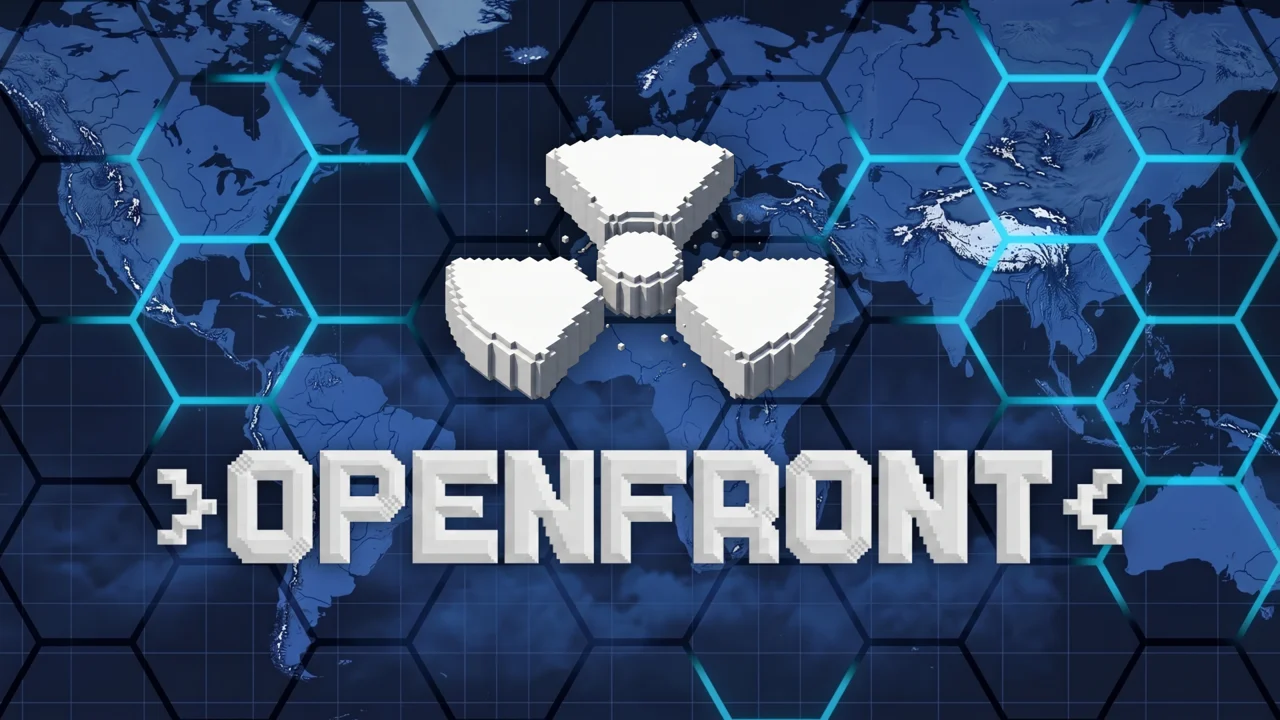
Openfront is a free .io battle game you play straight in the browser, no download and no account needed. You spawn as a single nation on a map of your choosing and fight to take the whole thing, growing your borders, banking income from the land you hold, and dropping bombs on anyone in your way. Matches run in real time against other players, and with more than 170,000 reviews already logged, the lobbies stay busy at every hour.
It is a game of slow pressure and sudden reversals. Twenty careful minutes of expansion can vanish in one bad border war, which is exactly the hook that pulls people back for another round.
- Genre: a free multiplayer .io battle and war game that runs in your browser
- Goal: claim land, grow your economy, forge and break alliances, and bomb rivals off the map
- Players: live online multiplayer, plus solo play and private lobbies for friends
- Standout feature: a deep map roster covering real continents, specific regions, and fantasy worlds like Mars and Pangaea
What is Openfront?
Openfront.io is an IO battle game built on a land-grab loop. You enter a map as one nation among many, and every tile of land you hold generates income that you spend on pushing your border further outward. More land means more income, which means more expansion, until you either own the map or a bigger neighbor rolls over you.
Combat here is territorial, not twitch-based. You are not aiming a crosshair or dodging projectiles. You are choosing which neighbor to attack, setting how much force to commit through the attack ratio, and watching your numbers crash into theirs along the shared border. Alliances let you team up when you are cornered, and bombs let you punch through a fortified front when raw numbers are not enough. Winning usually means holding the largest share of the map by the time the timer runs out or the last rival falls.
How you win a match
A match ends one of two ways. Either the timer runs out and the nation holding the largest share of the map takes the win, or one player grows dominant enough that the rest of the lobby cannot catch up. The percentage of the map each player holds is shown live at the top of the screen, so you always know whether you are leading, closing ground, or about to be swallowed. That number is the only score that matters during a game, and your finishing position is what feeds your record on the Leaderboard after the match.
How to play
- Pick your match type: a solo game against bots, a private lobby you invite friends to, or an existing public lobby.
- Choose a map from the roster, or hit Random and let the game pick for you.
- Set a difficulty from Easy up to Impossible, depending on how hard you want the bots and the lobby to push back.
- Spawn in and start clicking outward into unowned land to grow your territory and your income.
- Spend that income on continued expansion, set your attack ratio, and strike a neighbor when the numbers favor you.
- Build alliances when you are small, break them when you are strong, and drop bombs to crack stubborn fronts on your way to owning the map.
Quick start: your first three minutes
If you want to skip the theory and just play, do this. Open the Play tab, choose Solo on Easy, and pick a small regional board like Japan or Iceland so you have only one or two neighbors to track. Spawn in and click outward into the neutral unowned land, leaving the attack ratio near the middle so you keep troops in reserve while you grow. Do not attack anyone for the first minute; spend it banking land and the income that comes with it. Once your border touches a neighbor, glance at the percentage bar at the top of the screen before you commit, and only push if you are clearly larger. That is enough to survive your first match, and the rest of the game is learning when to break that discipline.
Choosing your first map
If you are new, start on a regional map rather than the full World. Smaller boards like Japan or Iceland give you fewer fronts to watch, shorter travel times between borders, and a faster sense of how expansion and combat actually feel. Save the World map and the fantasy boards for when you can track several neighbors at once without neglecting your economy. You can also just hit Random a few times and learn the roster by playing it, which is a fine way to find the map that clicks for you.
Mouse controls and the interface
Openfront is driven almost entirely by the mouse. You click territories to target them, drag the attack ratio slider to set how hard you commit, and use the on-screen buttons for bombs and other actions. There is no keyboard layer to memorize, which keeps the barrier low, but it also means reading the interface quickly is what separates a slow start from a fast one.
| Action | How you do it |
|---|---|
| Target a territory | Click it |
| Set attack strength | Drag the attack ratio slider |
| Launch an attack | Click the target with your ratio set |
| Drop a bomb | Use the bomb action in the UI |
| Switch menus | Click Play, News, Leaderboard, or Settings |
Reading the interface
The four tabs along the top cover everything outside the match itself. Play is where you queue into a game. News shows developer patches, bug fixes, and new features, so it is worth a glance when something on the map seems to have changed. Leaderboard holds the ranked data for individual players and clans. Settings is where you set your flag, toggle special effects, pick territory skins, turn emojis on or off, and lock in a default attack ratio so you are not fixing the slider every time you spawn.
Territory, economy, and bombs
The core of Openfront is the feedback loop between land and money. Land pays out income, income funds expansion and war, and war wins you more land. Every choice, whether to push into open space or pick a fight with a neighbor, comes down to whether the land you gain is worth the income and troops you spend getting it. The systems below are the levers you pull on nearly every turn.
| System | What it does |
|---|---|
| Territory | The land you hold; it generates income and defines your borders |
| Economy | Income from your land, spent on expansion and combat |
| Attack ratio | A slider that sets how much force you commit to an attack |
| Alliances | Temporary teams that let you share a front |
| Bombs | Punch through fortified borders when numbers are not enough |
Setting your attack ratio
The attack ratio slider is the single most important control in the game, and using it well is what separates expansion from suicide. A high ratio commits most of your troops to the attack, which overruns neutral land and weak neighbors fast but leaves your border thin and easy to counterattack. A low ratio keeps the bulk of your forces in reserve, which is safer but means slow, grinding advances that a defender can reinforce. The right call changes with the situation. Run the ratio high when you are racing into open space or finishing a beaten rival, and drop it low when you are pinned on multiple fronts or grinding against a stacked border. Locking a default ratio in Settings removes the need to fix the slider under pressure, which is a small tweak that pays off in every match.
Crossing water and island fronts
Not every front is a land border. On island boards and any map where land is separated by ocean, you push across water, and those naval attacks cost more troops than an overland advance because moving forces over sea carries a transport cost. That single rule is why certain maps play nothing like the others. On Iceland or the Strait of Gibraltar you are constantly weighing whether a landing is worth the extra losses, while on a compact board like Japan most of your fighting stays on land. The sea cuts both ways: a neighbor who lands on your coast while your troops are committed elsewhere can carve you up before you recall them. Treat the ocean as a second set of borders to watch, not a shortcut to someone else's land.
Alliances, and when to break them
Alliances are how you survive when a bigger player has you pinned. Teaming up lets you share a front and focus your forces on one neighbor instead of three. The catch is that alliances are not permanent, and the player helping you today is the one who will eventually want your land. The pattern that works is to ally when you are weak, ride the partnership to grow, and break the alliance the moment you are strong enough to take your former partner on. Timing that break is one of the real skills in the game, and getting it wrong is how a winning position turns into a losing one.
When to drop a bomb
Bombs are your answer to a front that will not move. When a neighbor has stacked forces along your shared border and your attacks are bouncing off, a bomb lets you punch a hole and reset the fight on better terms. They are scarce enough that you cannot spam them, so the instinct to save a bomb for the moment it actually swings a war is the right one. Spending one on an open flank you could have walked into is a quick way to lose the late game.
The expand, ally, break combo
The combo that wins more matches than any slick control trick is simple to describe and hard to time. First, expand into open land as fast as you can without fighting, so your income outpaces the lobby. Second, ally with the strongest neighbor you cannot yet beat, which frees you to commit troops to your other fronts instead of holding them back in defense. Third, build your share until you are the larger partner, then break the alliance and take the land your ally was holding for you. The skill is entirely in the timing of that break. Break too early and you trade back into a fair fight you can lose. Break too late and your ally reaches the same conclusion first. Read that moment off the percentage bar and you can win from almost any starting position.
Maps and difficulty
The map roster is the part of Openfront that keeps it from feeling like one game played a hundred times. Each board changes the shape of the conflict, because the geography decides how many neighbors you have, where the natural choke points sit, and how long it takes to move forces from one front to another.
| Category | Examples | What it is like |
|---|---|---|
| Large-scale | World, North America, South America, Europe, Asia, Africa, Oceania | Many neighbors, long borders, slow sprawling matches |
| Regional | Britannia, Japan, Italy, Iceland, Strait of Gibraltar, Amazon River, Gulf of St. Lawrence, New York City, East Asia, Australia | Tighter boards, fewer fronts, faster games |
| Fantasy and alternate | Pangaea, Mars, Pluto, Deglaciated Antarctica | Unusual geography that breaks your usual habits |
| Arcade | Didier, Sierpinski | Experimental shapes for something different |
| Random | Any of the above | The game picks for you, good for learning the roster |
Picking a difficulty
Difficulty runs from Easy up to Impossible, and the gap between the top and bottom is wide. Easy is forgiving and lets you learn the loop without getting punished for slow clicks or greedy expansion. Impossible is where bots and aggressive lobbies punish every mistake, including expanding too fast, ignoring a quiet border, or breaking an alliance at the wrong moment. Move up a step only when you can win consistently at your current level, and treat a few losses at the new tier as the cost of learning it.
Playing solo, with friends, or online
You have three ways into a match. Solo drops you into a game against bots, which is the right place to learn a new map or test a higher difficulty without other players punishing your mistakes. A private lobby lets you invite friends by sharing the room, so you can run a closed game with people you know and set the rules yourselves. Joining an existing public lobby puts you into the live multiplayer pool, which is where the game is at its most competitive and its most chaotic.
The Leaderboard ties all of it together. It tracks ranked data for both individual players and clans, with games played, wins, and losses recorded, so your record follows you across matches rather than resetting every game. Clan play adds a layer of rivalry on top of the solo climb, and chasing a better win rate is what keeps regulars coming back.
| Match type | Who you face | What it is best for |
|---|---|---|
| Solo | Bots tuned to your difficulty | Learning a map or pushing to a higher tier |
| Private lobby | Friends you invite with a room link | Closed games with your own rules |
| Public lobby | Live players from the online pool | Competitive play and ranked results |
| Random | The game picks the map and the lobby | Discovering boards you would not choose |
Solo versus online: how the game changes
The game you play against bots and the game you play against people are not the same. Bots follow patterns: they expand into open space, they commit when they have the numbers, and they rarely coordinate a backstab. That makes solo the right laboratory for learning a new board, because bots let you make mistakes without a human punishing every one. A public lobby is a different animal. Real players hold grudges, bait you into overextending, and team up through the alliance system to roll the leader. The diplomacy layer that bots barely touch is the whole game against people, and a move that wins against bots, like a greedy early expansion, can get you wiped in a lobby where two neighbors agree to split your land.
Progression and what you unlock
Each match in Openfront is self-contained. You do not carry troops, territory, or upgrades from one game into the next, which means a brand new player and a veteran start a match on equal footing. What carries over is everything outside the match. Your results feed the Leaderboard, where your games played, wins, and losses build a ranked record for both you and your clan. The rest of what you unlock is cosmetic and lives in the Settings tab, and none of it changes how the game plays. Progression here is not about getting stronger over time. It is about getting sharper, and your rank is the proof of it.
| Customization | What it changes |
|---|---|
| Flag | The flag displayed on your nation's territory |
| Territory skins | The look of your land on a crowded map |
| Emoji | Whether emoji show up in chat |
| Special effects | The strength of combat visuals, useful to lower on slow devices |
| Default attack ratio | The ratio you spawn with so you skip the slider |
Is Openfront safe to play?
Openfront runs entirely in your browser, which is why it works on Chromebooks, Macs, Windows PCs, and phones without an install. There is no app to download and no executable to run, and the game stays inside the browser sandbox, so it cannot reach the rest of your device. You do not need to create an account to play; you can queue into a match as soon as the page loads. The private lobby option also lets you play with just your friends and keep strangers out entirely. For a school or shared computer, that combination of no download, no account, and a closed lobby is what makes Openfront a low-risk pick.
Tips to dominate the map
- Claim open land before you fight anyone. Free expansion is cheaper than war, and early income compounds.
- Watch all your borders, not just the one you are attacking. The neighbor you ignore is the one who takes your land.
- Set a default attack ratio in Settings so you stop fiddling with the slider under pressure.
- Ally early when you are surrounded, and plan the break before you actually need it.
- Save bombs for fronts that will not move, not for land you could take by walking into it.
- Treat the ocean as a border. Naval attacks cost more troops, so do not start one you cannot finish.
- Learn on a regional map first, then move to the World board once you can track several fronts at once.
- Check the News tab now and then, because patches can quietly change how maps and combat behave.
What makes it hard
The difficulty in Openfront is not mechanical. Clicking is easy. The hard part is judgment: knowing when an alliance has outlived its usefulness, when a border is about to collapse, and when the land in front of you is a trap laid by a bigger player letting you overextend. The game rewards patience until it suddenly punishes it, and learning where that line sits on each map is what turns a player who survives into one who wins. That tension, more than any single feature, is what keeps the lobbies full and the leaderboard competitive.
Play on mobile
Openfront runs in your browser. If you want something similar to play on your phone, Bloxd.io is a good pick.
Frequently asked questions
Is Openfront free?
Yes. Openfront is free to play in your browser, with no download and no purchase required.
How do you play Openfront?
Pick solo, a private lobby, or a public lobby, choose a map and a difficulty, then click outward to claim land, build income, and attack neighbors until you control the map.
Is Openfront multiplayer?
Yes. It is an online multiplayer game with live public lobbies, and you can also play solo against bots or open a private lobby for friends.
Can I play Openfront unblocked at school?
Yes. Openfront is unblocked on African Safari Games and runs straight in your browser, with nothing to download or install.
Does Openfront work on Chromebook and Mac?
Yes. Because it runs in the browser, Openfront works on Chromebooks, Macs, Windows PCs, and most laptops with a current browser and a mouse or trackpad.
How does the leaderboard and ranking work?
The Leaderboard tracks ranked data for individual players and clans, including games played, wins, and losses, so your record carries across matches.
Openfront gameplay video