
Drive Quest
| Genre | Driving |
| Platform | Browser, mobile and desktop |
| Developer | Tridy Games |
| Released | 2025 |
| Players | Single player |
| Price | Free to play |
| Rating | 4.4/5 from 36,992 ratings |
| Updated | July 2026 |
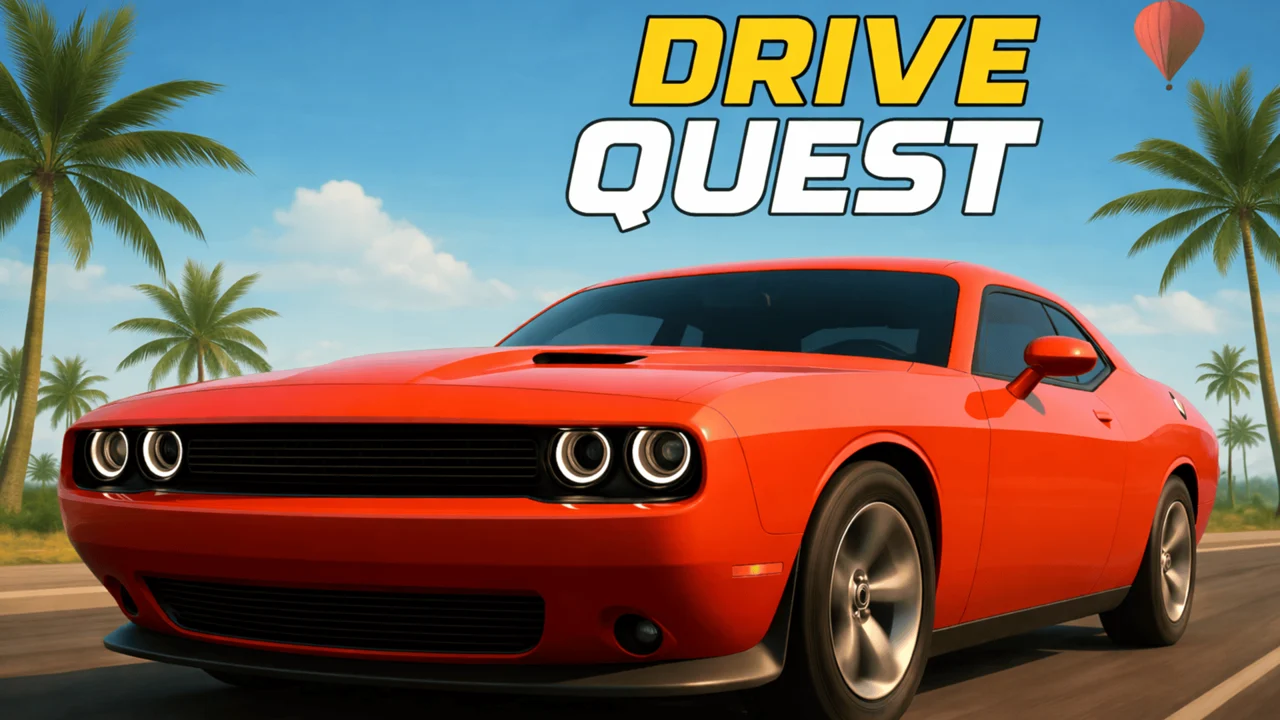
Drive Quest is an open-world driving game where the whole map is yours from the start, not a track you unlock after a loading screen. You pick a car, roll out of the lot, and the road simply opens up: cities to cruise through, highways to flatten out on, ports full of stacked containers, and tucked-away zones that the map does not flag for you. It plays in the browser for free, so there is no install and no account before you can put rubber on the asphalt.
The pull is the freedom of it. There are missions, drift challenges, stunt jumps, and speed tests scattered across the world, but nothing forces you into them in a fixed order. You can spend an hour just looking for hidden corners, or line up a ramp and try to land a clean jump until it feels right. Tridy Games shipped it in 2025, and the player count has climbed past 147,000 reviews at a 4.4 average, which for a driving game is a lot of people choosing to keep the engine running.
- Open-world driving game you play free in the browser, no download.
- 35 customizable cars covering sports, drift, off-road, and stunt builds.
- One connected map of cities, highways, ports, and hidden zones.
- Free roam plus drift runs, stunt jumps, speed tests, and obstacle missions.
What is Drive Quest?
Drive Quest is a 3D driving game built around a single connected open world rather than a menu of separate tracks. You start in a car lot with vehicles to choose from, and from there the map is the game: cities, long highway pulls, a working port with containers stacked into ramps, and secret areas that reward players who actually look around. The core loop is drive, explore, and take on whatever challenge is closest. Drift a corner for points, hit a ramp for a stunt bonus, beat a speed target, or thread an obstacle route without clipping the barriers. None of it is gated behind a campaign. You pick what sounds fun and go. The car roster runs to 35 vehicles, each tuneable, and the map is detailed enough that the same stretch of road can feel different depending on which build you bring to it.
Quick start: from the lot to the road
Drive Quest loads the car lot the second the page opens, so the wait between launching the game and actually driving is measured in seconds, not minutes. Here is the shortest path to moving. The lot is your first screen: scroll the 35 vehicles and pick whatever looks right, because nothing is locked behind play, so a loose drift build is just as valid a first car as a stiff sports car. Select a car and it spawns on the road outside the lot. Hold W or the up arrow to accelerate, tap A and D or left and right to steer, and you are driving. Brush the space bar at the first corner to feel the handbrake step the rear out, press C once to see how the chase cam reads the road, and from there the whole connected map is open in every direction. Drive into a challenge marker if you see one, or pick a horizon and go.
Your first five minutes
A good first session is a slow loop with no score pressure. Leave the lot, cruise into the city, and use the intersections to practice the handbrake until a slide feels controllable instead of random. Once that clicks, head for the highway to feel top speed open up, then roll down to the port to see how the stacked containers shape the obstacle routes. By the time that loop is done you have touched every kind of driving Drive Quest offers, and you will know exactly which one you want to chase first.
How to play
- Pick a car from the lot that fits how you want to drive, fast, grippy, or loose for drifting.
- Roll out onto the road and steer with WASD or the arrow keys.
- Tap the space bar to lock the handbrake and break traction into a slide.
- Press C to swap the camera until you find a view you like.
- Drive toward any challenge marker, or ignore them and just explore.
- Earn points from drifts, stunts, and clean runs, then swap cars and tune your setup.
Objectives and how you win
Drive Quest has no story campaign and no checkered flag, so winning works differently than it does in a racing game with a podium. You win by setting your own target and beating it. The game hands you four score systems to aim at: a drift score that climbs the longer you chain slides, a stunt bonus for clean ramp landings, a speed target you have to touch, and obstacle routes judged on whether you clip the gates. On top of the scores, the open world gives you softer goals that the map never marks: find every hidden zone, drive a lap of the entire connected map without hitting a load screen, or finally land the stunt jump you have been missing all week. There is no experience bar that fills and no level that gates the next car. The win condition is the one you set, and the game trusts you to set a good one.
Steering and drifting
The controls are simple on purpose, which leaves your attention for the road and the physics.
| Action | Desktop | Mobile |
|---|---|---|
| Steer the car | WASD or arrow keys | On-screen steering |
| Handbrake | Space bar | On-screen handbrake button |
| Switch camera | C key | On-screen camera button |
Reading the handbrake
The handbrake is the tool that turns Drive Quest from a cruise into a driving game. Tap space as you enter a corner and the rear end steps out; hold it and you can hold a slide through a long bend. The trick is entry speed and steering angle. Come in too fast and the car spins past the corner and into a wall, too slow and it grips back up before you score anything. Most cars have a sweet spot where the slide settles into something you can steer with the throttle and a gentle counter-steer. Find that for your favorite build and drift runs stop being luck.
The handbrake entry combo
The cleanest drift in Drive Quest is a three-input combo, and once it clicks you stop thinking about the parts. Approach the corner at speed on the throttle. Tap space at entry to break traction, then feed in gentle counter-steer against the slide while keeping a little throttle to hold weight on the rear. As the corner opens up, let the counter-steer unwind and straighten the wheel so the car exits pointing forward, because that straight exit is the move that locks your chain in. The whole thing is entry, hold, exit, and the exit is the step most drivers skip, which is why their multiplier keeps resetting. String the combo through two or three linked corners and the score climbs on its own.
Choosing a camera
Pressing C cycles the camera, and the right view changes how the car feels. A chase cam sits behind the car and is best for stunts and reading the road ahead. A closer or hood view pulls you into the speed and helps with tight obstacle routes where you need to judge distance to a barrier. There is no correct option. Switch based on what you are doing: drift runs tend to read better from a wider chase angle, while threading containers at the port is easier when the camera is low and close.
Cars and customization
Drive Quest gives you 35 cars and the room to make them yours. The roster spans a range, from stiff, grippy sports cars built for top speed to loose, tail-happy machines made to slide. What matters is that the car you pick changes which parts of the map are fun. A drift build turns every intersection into a chance to score, an off-road build opens up the dirt paths that lead to hidden zones, and a stunt build stays composed in the air over a ramp. Customization lets you push a car further toward what you want it to do rather than picking from fixed presets.
| Vehicle type | What it is good at |
|---|---|
| Sports car | Top speed on highway stretches |
| Drift build | Holds long slides through corners |
| Off-roader | Reaches hidden zones off the paved roads |
| Stunt car | Stays composed over ramps and jumps |
Picking a car for the job
Because nothing locks you to one vehicle, the smart move is to match the car to the challenge. Drift runs want a loose setup that holds a slide without snapping back. Speed tests want grip and top-end, so a sports car with a stiff tune earns the time. Stunt jumps want a car that lands clean, which usually means something balanced rather than extreme in either direction. Obstacle courses are about precision, so a smaller, nimble car threads gaps a wide body would clip. Swap freely; the lot is always one menu away.
Pushing a car toward what you want
The 35 cars are not fixed presets. Customization lets you push each one further toward a job instead of bouncing between fixed setups. Stiffen a sports car so more of its power turns into forward speed on a highway pull. Loosen a build so it breaks traction on demand at a city intersection. Balance something in the middle that can drift on the way into a stunt jump and still land clean. The reason tuning matters is that the same car can serve two sessions that feel nothing alike, and because the lot is always one menu away you are never punished for tuning a car hard for one job and swapping to another for the next.
Matching the build to the mode
Because the lot is always open, the fastest way to raise your scores is to stop forcing one car through every challenge. Each mode rewards a different build, and swapping takes seconds.
| Challenge | Best build | Why it works |
|---|---|---|
| Drift runs | Loose drift build | Holds the slide without snapping back to grip |
| Speed tests | Stiff sports car | Top-end and grip to reach the target velocity |
| Stunt jumps | Balanced stunt car | Lands clean on the wheels instead of the roof |
| Obstacle courses | Small nimble car | Threads container gaps a wide body would clip |
The map and where to drive
The map is the real main character. It is one connected space, so you can drive from a city block to a highway on-ramp to the port without a load screen, and the scenery tells you what kind of driving you are about to do. Cities pack corners and intersections that are made for drift practice. Highways open up into long pulls where you can bury the needle. The port stacks shipping containers into walls and ramps, which is where the obstacle routes and stunt jumps live. And then there are the secret zones, areas the map does not point you toward, sitting off the obvious paths for players who go looking.
| Area | What you find there |
|---|---|
| Cities | Streets, intersections, and stunts tucked into alleyways |
| Highways | Open stretches for top-speed runs |
| Ports | Containers, ramps, and tight obstacle routes |
| Secret zones | Hidden areas that reward exploration |
Finding the hidden zones
Hidden zones are the reward for not following the markers. They sit down side streets, behind port infrastructure, and off the paved roads where an off-road build earns its keep. The game does not hand you a checklist for them, which is the point. You find one by driving somewhere that looks like it leads nowhere and discovering it leads somewhere. Mark them mentally, because a zone you find once is usually worth a return trip with a different car.
Where each build earns its keep
Each area of the map pulls a different car out of the lot. Match the zone to the build and the same stretch of road opens up in a new way.
| Map area | What it is built for | Build that fits |
|---|---|---|
| Cities | Intersections and drift corners | Loose drift build |
| Highways | Long top-speed pulls | Stiff sports car |
| Ports | Container routes and ramps | Balanced stunt car |
| Secret zones | Dirt paths off the pavement | Off-roader |
Missions and challenges
Scattered across the map are challenge types that give the free roam a shape if you want one. You do not have to do them in order, and you do not have to do all of them. They are there for when you want a score to chase instead of a view.
| Challenge type | How it works |
|---|---|
| Drift runs | Hold slides to rack up a drift score |
| Stunt jumps | Hit ramps and land clean for points |
| Speed tests | Reach a target speed or beat a time |
| Obstacle courses | Thread the car through gates and barriers |
Stacking a drift score
Drift runs are the deepest challenge type because the scoring rewards chaining. A single slide gives you points, but linking slides, corner into corner without the car settling back to grip, multiplies what you bank. The handbrake initiates the slide, the throttle holds it, and a clean exit with the car pointing forward is what locks the score in. Break the chain by spinning, hitting a wall, or letting the car snap straight, and the multiplier resets. The high scores come from drivers who can read three corners ahead and plan a line through all of them.
Stunts and speed
Stunt jumps are simpler in concept and harder in execution. Find a ramp, hit it with the right speed and angle, and land clean on the wheels for a bonus. The landing is what filters everyone out; a car that comes down sideways or on its roof scores nothing. Speed tests are the most direct: hit a target velocity or beat a clock. They are the cleanest measure of how good your tune is, because there is nowhere to hide a slow car on a speed test.
Threading the obstacle courses
Obstacle courses are the precision mode, and they live mostly at the port where shipping containers are stacked into walls and gates. The route threads your car through gaps barely wider than the body, and the scoring feels binary: clip a container and the run is blown, thread it clean and you keep going. Speed hurts more than it helps here. The drivers who clear these routes come in slow, pick a line through two or three gaps ahead, and use a small nimble car that forgives a tight squeeze. The handbrake still matters, but as a way to tighten a turn between containers, not to start a slide. Treat each gate as a checkpoint and the corridors stop feeling like walls.
How the world opens up as you play
Drive Quest does not gate the map behind levels, and it does not lock cars behind a currency grind, which changes what progression means here. What grows as you play is not a stat screen, it is your read on the world.
What you unlock
Because every car and every zone is available from your first session, there is no unlock queue to grind through. The thing you build over time is knowledge: where the hidden zones sit, which line through a port gap is clean, which car lands a given ramp, and which corner on the city grid is the best drift starter. The map hands you all of the space on day one. What you earn across sessions is the muscle memory and the mental map that turn a casual cruise into a real high score, and that kind of progress shows up on the scoreboard even though no bar is filling.
What changes as you get better
Early sessions are about not spinning. The handbrake feels binary, the slides feel random, and the port gaps feel impossible. As the entry, hold, exit combo becomes muscle memory, drift runs turn into chains, stunt jumps start landing clean, and the obstacle routes open up because you are reading two gates ahead instead of staring at the next one. The game does not change. Your line through it does.
Solo or with friends
Drive Quest is built as a single-player open world. You are the only driver on the map, which is a deliberate choice: the roads, the ramps, and the container gaps are yours to read without another car fighting you for the line. There is no lobby, no matchmaking, and no friend list to configure. Your scores and your saves live in your session and on your machine. The way most people play it with friends is pass-and-play on one device, or share a browser link and compare drift chains, stunt landings, and hidden-zone finds after the fact. The targets you chase are personal, not global.
Is it safe to play in the browser
Drive Quest runs entirely inside your browser tab. There is no installer to download, no executable to run, and no account to create before you can drive, which also means no password to lose and no email to hand over. The game and your session live in the browser sandbox, so they cannot reach the rest of your system, and when you close the tab the session is gone. The same build is available on the iOS and Android apps if you want the open world on a phone, and the controls switch to on-screen buttons automatically on a touch screen. Because there is no download step, there is nothing to install on a school or work machine, which is why it runs in places that block heavier game clients.
Tips to chain drifts and find hidden zones
- Initiate drifts with a tap of space at corner entry, not a long hold, so the rear steps out without spinning you.
- Counter-steer gently into the slide; over-correcting is what snaps the car back and kills the chain.
- Keep a little throttle through the slide to hold weight on the rear and keep the drift alive.
- Bring an off-road build when you go hunting for hidden zones, since several sit past the pavement.
- Cycle the camera with C until the view matches the challenge, wide for drifts, low and close for obstacle routes.
- Swap cars between challenge types instead of forcing one build through everything.
- At the port, slow down before the container gaps; momentum is useless if you clip a wall mid-line.
- For stunt jumps, focus on the landing, since a clean touchdown matters more than a high arc.
What makes Drive Quest click
What makes Drive Quest work is that it does not pick a lane. Some driving games are pure simulators and some are pure arcade, and this one sits where it wants, leaning arcade for the fun of a long slide but keeping enough weight in the physics that a drift still has to be earned. The open map does the rest. When the challenges are optional and the world is one connected space, you end up playing the way you actually feel like playing that day. Some sessions are about chasing a drift high score. Some are about seeing what is past the next highway exit. The fact that the same game supports both, with a car roster wide enough to matter, is why people keep the engine running instead of clicking away after five minutes.
Get Drive Quest on mobile
Drive Quest ships with native iOS and Android apps, so the open world travels with you when you step away from a keyboard.
Frequently asked questions
Is Drive Quest free?
Yes. Drive Quest is free to play in the browser with no download and no sign-up.
How do you drift in Drive Quest?
Approach a corner at speed, tap the space bar to break traction, then counter-steer gently and hold a little throttle to keep the slide alive.
Is Drive Quest multiplayer?
Drive Quest is built around a solo open-world drive. You explore the map and take on challenges on your own.
How many cars are in Drive Quest?
Drive Quest has 35 customizable vehicles, ranging from grippy sports cars to loose drift builds and off-roaders.
Who made Drive Quest and when did it come out?
Drive Quest was made by Tridy Games and released in 2025.
Is Drive Quest unblocked?
Yes. Drive Quest is unblocked on African Safari Games and runs straight in your browser, no download needed.