
Idol Livestream: Fashion Game
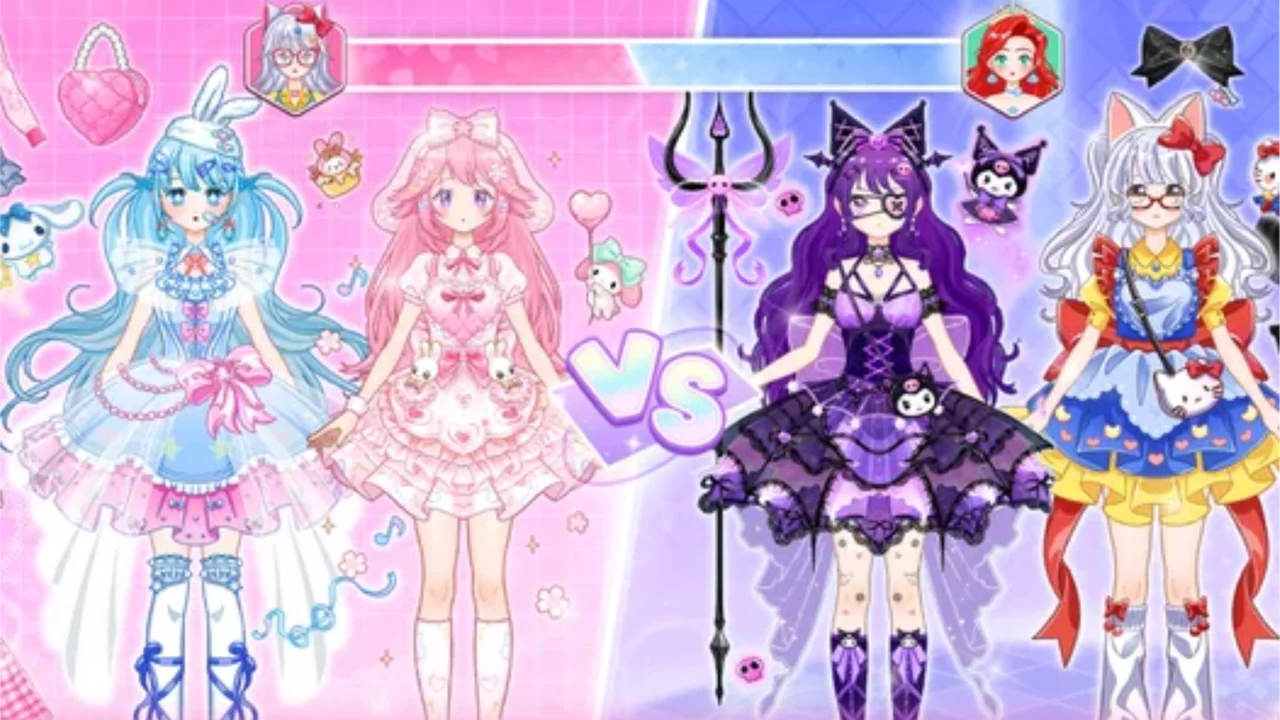
| Genre | Beauty |
| Platform | Browser, mobile and desktop |
| Developer | Bravestars Games |
| Released | 2025 |
| Players | Single player |
| Price | Free to play |
| Rating | 4.5/5 from 27,486 ratings |
| Updated | July 2026 |
Idol Livestream: Fashion Game is a free browser dress up game where you build complete looks for a character who wants to become a livestream fashion star. You pick the hair, the clothes, and the accessories, send her on stage, and let a virtual audience judge the result with likes and stars.
The whole thing runs on a tight loop. Style a character to suit the event, confirm the look when the green checkmark lights up, then sit back as the performance pulls in likes, followers, and rewards. Match the outfit well and the stars stack up fast, and those stars are what unlock the next round of clothing and accessories for your closet.
- Beauty and dress up game about styling a character for livestream audiences
- Single player browser game you play entirely with the mouse
- Earn stars by fitting your outfit to each event, then spend them on new wardrobe pieces
- Standout feature: a photo and in-game social feed that turns each finished look into extra likes and followers
What is Idol Livestream: Fashion Game?
Idol Livestream: Fashion Game is a beauty and fashion styling game from Bravestars Games, released in 2025. The core loop is simple. You dress a character out of a shared closet, lock in the finished look, and send her live in front of an audience that hands out stars, likes, and follower growth based on how well the outfit fits the event. There is no timer bearing down and no opponent to beat. The only pressure is taste. You read what the occasion calls for and put together an outfit that lands, and the stars you bank flow straight back into the wardrobe so each successful stream widens what you can wear next time. That feedback loop is the entire game, and it is surprisingly hard to put down once you start chasing the next unlock.
How to play
- Open the closet and pick a hairstyle, then layer on an outfit and any accessories.
- Watch the on-screen icons as you build the look.
- Keep swapping pieces until the green checkmark confirms the outfit is ready.
- Press go live to send your character on stage for the performance.
- Collect the likes and stars the audience hands out.
- Spend those stars to unlock new clothing and accessories, then start the next event.
Clicking through the closet
Every action in the game runs through the left mouse button. You click wardrobe items to try them on, click the confirm control once the checkmark turns green, and click through the photo and post prompts after each show. There is no keyboard input and no dragging, which keeps things comfortable on a laptop trackpad or a touchscreen. Because the input is so simple, the game is really about decisions, not dexterity. Your mouse picks the pieces, but your eye for style is what earns the stars.
| Action | How to do it | Notes |
|---|---|---|
| Try an item | Left click it in the closet | It snaps onto your character instantly |
| Remove or swap a piece | Left click another option in the same slot | The new choice replaces the old one |
| Confirm the look | Left click when the green checkmark shows | Only available once the outfit passes |
| Go live | Left click the stream control | Starts the performance |
| Snap and post a photo | Left click through the post prompts | Pushes the look to the in-game social feed |
Reading the green checkmark
The checkmark is the only feedback you get before going live, and learning to read it is a quiet skill. A green mark means your outfit clears the bar for the current event, so you are clear to confirm and stream. No mark, or a different indicator, means the look is still short. It works as a soft guide rather than a hard grade, telling you that you are on track without spelling out exactly which slot to change. When the checkmark refuses to flip, the fastest fix is usually an accessory swap or a hairstyle shift, since those are the cheapest pieces to redo.
The photo and post step
After each performance you can capture the finished look as a photo and push it to an in-game social feed. That post is where the second wave of likes and followers comes from, and it is easy to skip past if you are clicking fast. The feed rewards creativity. Unusual combinations tend to pull more attention than safe repeats, so players who experiment every stream tend to climb faster than players who lean on one favorite outfit. Treating the photo as part of the run, not an afterthought, is one of the bigger separators between a casual session and a high scoring one.
Wardrobe and styling options
The closet is the real game. It breaks into a few clear slots, and most of your playtime is spent mixing those slots until something clicks. Outfits set the overall mood and formality, hair changes the silhouette and the color story, and accessories add the personality that pushes a look from flat to memorable. Because each slot can be swapped in a single click, the cost of experimenting is almost nothing, which is what makes the styling feel playful rather than fiddly.
| Category | What you can pick |
|---|---|
| Outfits | From schoolgirl chic to full ball gowns, plus everything between |
| Hairstyles | Length and color, including gothic dark, classic long, blonde, orange, brunette, and purple |
| Accessories | Headpieces and accents like cat ears, tiaras, and bat-themed pieces |
| New unlocks | Fresh clothing and accessories bought with stars earned from streams |
Outfits for every mood
Outfit choices cover a wide range. You can keep it grounded with schoolgirl chic, go full glamour with a ball gown, or land somewhere in the middle for events that want something softer. The skill here is matching the right outfit tier to the right occasion instead of always reaching for the fanciest dress. A formal gown looks out of place at a casual event, and the audience notices that mismatch in the score. Reading the event prompt and picking an outfit that fits the brief is usually worth more stars than pure sparkle.
Hairstyles and color
Hair is the fastest way to remake an outfit you have already worn. The length and cut set the tone, and the color palette is wide. You can go full vampire with dark gothic locks for an edgy stream, keep it classic with long luxurious hair, or push into bright color with blonde, fiery orange, deep brunette, or bold purple. Because hair changes the whole silhouette, swapping just the color is often enough to make a repeat outfit read as fresh to the audience, which matters a lot when you are trying to keep likes high across a long session.
Accessories and personality
Accessories are where a look gets its character. The roster runs from playful cat ears and sparkling tiaras to bold bat-themed headpieces, so the same base outfit can tilt cute, regal, or gothic depending on what you clip on. They are also the most practical slot. When the green checkmark will not appear, an accessory swap is the quickest path to a passing look, since it shifts the personality of the outfit without forcing you to redo the whole thing.
The livestream performance
Once the look is confirmed, your character goes live and performs for the audience. This is the payoff beat, and it is mostly hands-off. You watch the character work the stream while likes and rewards tick upward, and the score reflects how well the outfit matched the event rather than any action you take during the show. A thoughtful look earns noticeably more than a thrown-together one, which is why the styling step matters more than it might seem. The performance is short, so the loop moves fast, confirm a look, watch a quick show, bank the reward, and back to the closet.
How likes and followers add up
Likes arrive in two waves. The first lands during the performance itself, tied directly to how well the outfit fits the event. The second comes after you snap and post a photo, where creative and unusual looks pull extra attention from the feed. Followers grow across sessions as you keep posting, and that slow audience growth is what turns a string of single streams into a rising idol arc. The two waves are why both steps matter, styling for the live score and posting for the follow-up, since skipping the photo leaves a chunk of reward on the table.
Stars, unlocks, and progression
Stars are the currency that ties the whole loop together. You earn them from successful streams and spend them to unlock new clothing and accessories, and the wardrobe keeps widening the more you play. Progression feels steady rather than grindy because each event pays out enough to keep the closet growing, and new pieces open up new combinations, which feeds straight back into higher scores on the next event. There is no hard level structure to grind through, just a wardrobe that rewards you for showing up and styling well.
| Reward | What it measures | What it does |
|---|---|---|
| Stars | How well the outfit matched the event | Spent to unlock new clothing and accessories |
| Likes | Audience reaction during and after the stream | Score and feedback on each look |
| Followers | Long-term growth from posting photos | Tracks your rise as a livestream idol |
Tips to score more likes
- Match the outfit to the event before chasing style. A well fitted simple look usually beats a mismatched flashy one.
- Use hair color to refresh outfits you have already worn. The same dress in a new shade reads as fresh to the audience.
- Lean on accessories when the green checkmark will not appear. A quick headpiece swap is the fastest fix.
- Snap and post the photo after every stream. The second wave of likes is free if you remember to take it.
- Mix unusual combinations for posted photos. Unique looks pull more attention than safe repeats.
- Spend stars as soon as you can afford a piece you want. A bigger closet means more options for the next event.
Is Idol Livestream: Fashion Game free to play
Yes. It is free to play in the browser, with no download and no account required to start styling. The full wardrobe, the livestream performances, and the photo and post loop are all open without paying anything. There is also a Google Play version for Android if you would rather style on a phone, but the browser build covers the entire game. Nothing is locked behind a paywall in the version you can play right here.
What makes it fun
The hook is the feedback loop and how fast it spins. You style, you confirm, you watch the likes roll in, and you spend the reward on something new to wear, all in a couple of minutes. It is low pressure because there is no fail state, only better or worse scores, and the photo step gives each finished look a small moment of payoff beyond the numbers. For anyone who likes dress up games, the depth comes from the size of the closet and the way accessories and hair color let the same outfit say something different every stream. It is the kind of game where you intend to play one round and suddenly notice an hour has gone by.
Who made Idol Livestream: Fashion Game
The game was made by Bravestars Games and released in 2025. It sits in the Beauty category alongside other dress up and fashion titles, and it has built a large player base on the strength of that styling loop, with well over a hundred thousand reviews logged and a strong average rating. That kind of volume usually means the core loop is doing something right, and in this case it is the speed of the cycle from closet to stream to reward that keeps people coming back.
Get Idol Livestream: Fashion Game on mobile
There is a Google Play version if you would rather style your idol on a phone instead of in the browser.
Frequently asked questions
Is Idol Livestream: Fashion Game free?
Yes. It is free to play in the browser with no download, and there is also a free Google Play version for Android.
How do you play Idol Livestream: Fashion Game?
Pick hairstyles, outfits, and accessories from the closet, keep adjusting until the green checkmark appears, confirm the look, and watch the livestream pull in likes and stars.
Is Idol Livestream: Fashion Game multiplayer?
No. It is a single player styling game. The audience, likes, and followers are part of the game itself, not other real players.
Can I play Idol Livestream: Fashion Game unblocked?
Yes. Idol Livestream: Fashion Game is unblocked on African Safari Games and runs straight in your browser, with no download, so it works on most networks that allow browser games.
Who made Idol Livestream: Fashion Game and when did it come out?
It was made by Bravestars Games and released in 2025.
How do you unlock new clothes in the game?
You earn stars from successful livestreams and spend them to unlock new clothing and accessories in the closet, which keeps your wardrobe growing the more you play.
Idol Livestream: Fashion Game gameplay video