
City Bus Driver
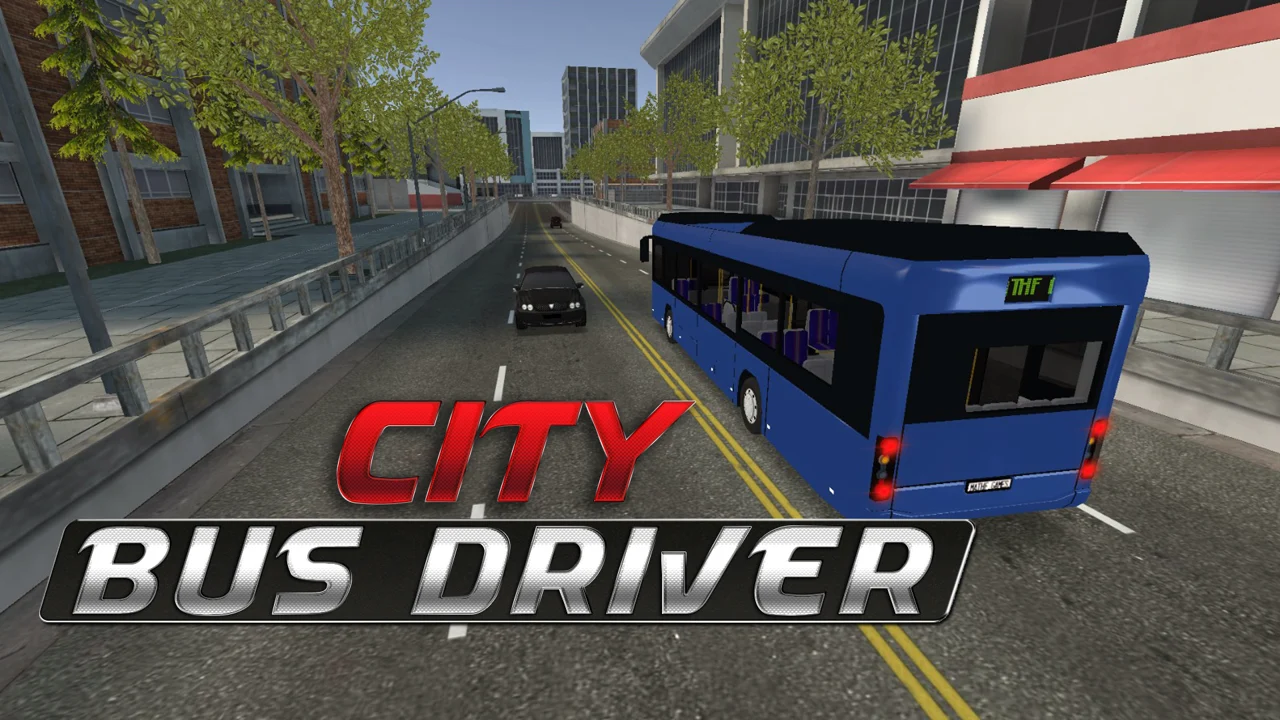
| Genre | Simulation |
| Platform | Desktop browser |
| Developer | Mathf Games |
| Released | 2021 |
| Players | Single player |
| Price | Free to play |
| Rating | 4.6/5 from 89,725 ratings |
| Updated | July 2026 |
City Bus Driver is a 3D bus simulation game that puts you behind the wheel of a city transit bus and asks you to run real routes, pick up passengers, and deliver them stop by stop. Built by Mathf Games, it is a free browser game with 60 levels, a small fleet of buses to choose from, and an open city you can roam between jobs. You steer with the keyboard, work the doors and turn signals like a real driver, and work your way through runs that get steadily harder.
It lives in the same neighborhood as the more serious bus sims, but it is lighter and more forgiving. There is no license to earn, no fuel economy to babysit, no timetable fine for being thirty seconds late. You pick a bus, take a mission, and drive. The pleasure is in the routine: pulling up to a stop, opening the doors, watching passengers file on, and pulling away with the turn signal ticking. Do that well, across sixty routes, and you have seen what the game has to offer.
- 3D bus driving simulation from Mathf Games, free to play in a web browser with no download.
- A 60-level campaign across different city routes, plus a choice of buses to drive.
- Single-player and keyboard-controlled, with full cabin systems: doors, turn signals, horn, mirrors, and several camera angles.
- Free-roam the open city between missions, or stick to the assigned route and work the stops.
What is City Bus Driver?
City Bus Driver is a single-player simulation game about operating a public transit bus through a 3D city. Each level gives you a route and a goal: reach your stops in the right order, let passengers on and off, and finish the run without smashing the bus or running out of time. The core loop is simple to describe and surprisingly sticky to play. Start the run, navigate turns and traffic, stop cleanly at each marker, work the doors, and reach the finish. Clear it and the next stretch of road opens up.
What stops it from feeling thin is that the bus actually handles like one. It is long, it swings wide on corners, and it does not stop the moment you lift off the throttle. The opening levels ease you in with forgiving roads, but later routes layer on tighter turns, denser traffic, and stops placed where precision actually matters. You are not racing anyone. You are piloting a vehicle heavy enough to punish every lazy turn, and the game wants you to feel that weight.
How to play
- Pick a bus from the garage, then choose a level to start its route.
- Pull away from the start point and follow the route markers toward the first stop.
- Brake early, line the doors up with the stop, and press Enter to open them.
- Wait for passengers to board or get off, then close the doors before you move.
- Signal with Q or E, check your mirrors, and pull out toward the next stop.
- Repeat at every stop, minding the traffic, until you reach the final marker and clear the level.
Steering, cameras, and cabin controls
The keyboard does almost everything in City Bus Driver. You drive with WASD or the arrow keys, and a second layer of keys runs the cabin: doors, signals, horn, mirrors, and camera angles. There is no real touch control scheme, so a keyboard is the way to play, and the mouse only swings the camera when you move it. Learning the hotkeys is the difference between a smooth route and a fumbling one, because the doors, signals, and mirrors all need to fire in the right order at every stop.
| Action | Key | What it does |
|---|---|---|
| Drive | WASD or arrow keys | Throttle, brake, and steering. |
| Handbrake | Space | Holds the bus still on slopes and at stops. |
| Open or close doors | Enter | Passengers can only board when the doors are open. |
| Camera view | C or 1 to 4 | Switches between cockpit, chase, and other angles. |
| Reset position | R | Snaps the bus back if you get stuck or flipped. |
| Honk | H | Warns traffic and clears the way at junctions. |
| Pause | P | Freezes the run. |
| Toggle mirror view | M | Shows what is behind and beside the bus. |
| Signal left or right | Q or E | Indicates turns and lane changes. |
| Emergency signal | F | Switches the hazard lights on. |
| Move camera | Mouse | Looks around the cabin and the road. |
Picking the right camera
Most players find one camera and stick with it, but the views genuinely matter here. The chase camera, sitting behind the bus, is the easiest for judging corners, clearance, and how close your rear is to a curb. A cockpit or forward view sells the simulation feel and helps you line up stops precisely, since you can sight down the side of the bus. Tap C to cycle through the angles, or press 1 to 4 to jump straight to the one you want. When a tight corner goes wrong, the mirrors are what let you back out without guessing.
Reading the mirrors
The mirrors are not decoration. The bus has blind spots you cannot see from the default camera, especially along the right side and directly behind. Toggle the mirror view before you change lanes, reverse, or pull away from a stop, and you will catch cars and curbs that would otherwise end a clean run. Drivers who skip the mirrors tend to meet them the hard way, by clipping something they never saw coming.
Routes, stops, and the 60 levels
The structure is a 60-level campaign, and each level is a different route through the city. The early routes are short and forgiving, built to teach you how the bus moves and how stops work. As you advance, the routes get longer, traffic thickens, and the stops land in awkward places: tight corners, narrow streets, hills where the handbrake is not optional. There is no branching story, just a steady climb in difficulty and a city that keeps opening up as you go.
| Part of the campaign | What changes |
|---|---|
| Early levels | Open roads, few stops, light traffic, gentle corners. |
| Middle levels | Longer routes, more stops, busier traffic, tighter turns. |
| Late levels | Dense traffic, narrow streets, hill starts, stops in awkward spots. |
| Free-roam | Drive the open city freely, with no timer or stops to hit. |
How a route actually works
Each mission gives you a sequence of stops, marked along the route, that you have to hit in order. Drive to one, stop with the doors close to the marker, open up, let passengers on or off, then close the doors and head to the next. The route markers guide you, but the city traffic does not wait, so the real challenge is threading a long bus through moving cars while still nailing your stops. Hit the final marker and the level is done.
Free-roam between jobs
The missions are the spine of the game, but you are also free to just drive. Between levels you can roll around the open city with no timer and no stops to hit, which is the place to practice turns, learn the road layout, and get comfortable with how the bus behaves at speed. Nothing is grading you in free-roam, which is exactly why it is the best mode for warming up before a hard route.
Picking your bus
The game lets you choose your favorite bus before you start, and the fleet is more than a paint job. Different buses have different length, turning circles, and feel, so the one you pick changes how a route plays out. A shorter bus is easier through tight streets and narrow stops. A longer one carries more passengers but punishes sloppy cornering. Spend time in free-roam trying them before you commit to a tough route, because swapping buses mid-campaign means relearning the turning points you had memorized.
| Trait | How it changes your driving |
|---|---|
| Length | Longer buses swing wider on corners and need more clearance. |
| Turning circle | A tighter circle makes narrow streets and sharp stops easier. |
| Passenger capacity | Bigger buses carry more riders between stops. |
| Weight | Heavier buses brake later and roll more on hills, so plan stops earlier. |
Matching the bus to the route
As a rough rule, tight and stop-heavy routes in dense traffic favor a nimble bus you can place precisely at the marker. Open routes with long straights let you stretch out with a bigger bus, where the extra length is less of a liability and the capacity helps. If you keep clipping curbs or swinging into oncoming traffic on a particular level, try a shorter bus before you blame the route design. Often the bus is the variable that fixes it.
What unlocks as you progress
Progression in City Bus Driver is mostly about access. Finishing a level unlocks the next route, and as the campaign opens up you get more of the city to drive and a wider reason to use the different buses in the garage. There is no skill tree and no currency to spend, so the reward for a clean run is simply a harder run waiting behind it. That sounds thin on paper, but it keeps the game honest: you improve because you are driving more, not because you bought a stat. Players who want a steady sense of forward motion get it from the route count ticking upward, and the late levels are genuinely tougher than the early ones, so the difficulty curve is the real progression system.
Tips to keep your route clean
- Brake early. The bus carries momentum and will sail past the stop marker if you leave it late.
- Hold the handbrake, Space, on hills and at stops so the bus does not creep while the doors are open.
- Signal with Q or E before every turn and lane change. Forgetting is the most common cause of avoidable collisions.
- Check the mirrors, M, before pulling out from any stop or switching lanes.
- Hit R to reset without shame if you wedge yourself on a curb. It is faster than fighting out of it.
- Choose the camera that lets you see the stop clearly, and switch to the chase view for tight corners.
- Use free-roam to learn the awkward intersections before you have to clear them on a timed route.
- Open the doors only when you are properly stopped, and close them before you move, to keep the run clean.
Is City Bus Driver free and safe to play?
City Bus Driver is free to play and runs entirely in your web browser, so there is nothing to download and no installer to run. It is single-player, with no account required and no chat or shared servers, which keeps it straightforward and low-risk on a personal machine. Because it is browser-based and keyboard-driven, it works fine on a Chromebook, a Mac, a Windows PC, or anything else that runs a modern browser. You do need a physical keyboard for the controls, since the doors, signals, mirrors, and cameras are all mapped to keys, so a laptop or desktop is the natural fit. Phones and tablets are not the intended way to play, and the cabin controls do not really translate to a touch screen.
What makes City Bus Driver click
The reason this game holds attention is the weight. Driving the bus is a small physical puzzle every time you approach a stop. Slow down, judge the gap, swing the front end in, straighten out, brake to a halt, doors. Do that cleanly a dozen times in a row and it starts to feel like a routine you earned, not a level you ground through. Get it wrong and the bus reminds you, loudly, that it is bigger than the gap you aimed it at.
That routine is the whole game, and sixty levels is enough room for it to deepen without wearing thin. The city is plain but functional, the traffic exists to get in your way, and the buses feel distinct enough that switching between them matters. It is a quiet, satisfying sim for players who like the driving itself more than the spectacle wrapped around it, and that is a rarer thing in a free browser game than it sounds.
Play on mobile
City Bus Driver runs in your browser. If you want something similar to play on your phone, Bad Cat Prankster is a good pick.
Frequently asked questions
Is City Bus Driver free?
Yes. City Bus Driver is free to play in your web browser, with no download or purchase.
How do I play City Bus Driver?
Use WASD or the arrow keys to drive, Enter to open and close the doors, Q and E to signal, and C or 1 to 4 to change camera. Reach each stop in order to finish the level.
Is City Bus Driver multiplayer?
No. It is a single-player simulation, so you drive your routes on your own with no online opponents.
How many levels does City Bus Driver have?
There are 60 levels, each with a different route through the city, and they grow harder as you advance.
Who made City Bus Driver and when did it come out?
City Bus Driver was developed by Mathf Games and released in November 2021.
Can I play City Bus Driver unblocked at school?
Yes. City Bus Driver is unblocked on African Safari Games and runs straight in your browser, with nothing to install.